
BIM data structure
Project database
A BIM Project can consist of a single DWG file or of multiple DWG files.
- Single DWG file BIM Project
- When there is only one DWG file, that file contains the complete BIM Project, and the Project database is embedded in the DWG file.
- Multiple DWG files BIM Project
- When there are multiple DWG files, the Project database is stored as an external file with the .bsyslib extension, which is used by all the DWG files in the project.
These DWG files share some project level data, for example spatial locations, property definitions, compositions. This data is stored in the external BSYSLIB file that is directly read from the different DWG files.
In addition to this, each DWG file inside the project also has an embedded Project database, an internal version of the external BSYSLIB file. When working on one DWG file, this internal version of the BSYSLIB file is used. This makes possible for each user to work from their local copy without interference.
Only when you save the DWG file, BricsCAD synchronizes all the changes with the external project BSYSLIB file by:- Pushing the updates you made within the DWG file to the internal version of the BSYSLIB file.
- Pulling the changes made by other project members in the meantime.
Note:- When you save a DWG file, BricsCAD locks the external BSYSLIB file so that two users cannot save data to the file at the same time.
- When two users change the same data, BricsCAD adopts the most recent change, and the system notifies the user whose work has been overwritten.
The DWG files contain DWG entities, classified as Building Elements, to which Compositions can be attached. All Compositions being used in a project, are stored in the Project database.
Central database
To reuse compositions and building materials across multiple BIM Projects, a Central database can be specified, in addition to the Project database. The Central database is a BSYSLIB file, usually stored in a location which is common to several projects. When Compositions and Building Materials from the Central database are used in a BIM Project, they are automatically imported in the Project database. To maintain and extend BIM databases, users can drag Building Materials and Compositions from one database to another, provided they have write access to the destination database.
Materials and compositions
A BIM database consists of Building Materials and Compositions. A Building Material contains information about one specific material: its appearance, cost, manufacturer, etc. A Composition contains information about the structure of a building element, by defining Composition layers. Each Composition layer refers to a Building Material and has a certain thickness.
Flexibility
The same flexibility you have in modeling is available in attaching building information. Although Compositions are grouped into Wall, Slab, Roof and Generic Compositions, any type of Composition can be attached to any DWG entity. When attached to a 3D Solid, with specific geometrical properties, the thickness of the Composition is used to define the thickness of walls and slabs, and the cross section will show the wall or slab structure by applying the hatch patterns from the various layers on the section geometry. When a 3D Solid is assigned a Composition with a fixed thickness or a minimal thickness, and this thickness can not be applied to the geometry, the section appears in red to indicate the incompatibility between the selected Composition and the geometry of the solid.
BIM Compositions panel
All BIM database features are accessible from the dockable BIM Compositions panel.
Materials
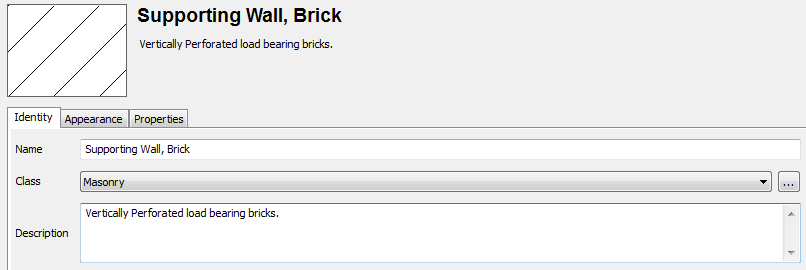
A Material definition describes the appearance and properties of a Building Material.
Composition layers
A Composition describes the structure of a building element by an ordered set of composition layers. Each composition layer has the following fields:
- Pattern and Material Name: The Building Material for this layer.
- Function: One of (None, Structure, Substrate, Insulation, Finish1, Finish2, Membrane). Currently, this field serves for information purposes only.
- Thickness: Defines the thickness of the layer.