
Advanced configurations
The Network License Server uses the following ports:
- 5053 - Default for the license seats broadcasting
- 5054 - Default for the RLM web UI (localhost:5054)
- ISV port - Dynamically assigned at startup
Firewalls, proxy servers, anti-virus software and other security measures can block these ports, preventing the server from operating correctly. After the Network License Server installation, ensure the required ports are open and available, and the license server application (rlm.exe on Windows or rlm on Linux) is not blocked by any security software.
How to set a fixed value for the ISV port
The ISV port value changes dynamically at startup. To prevent this, set a fixed value in the license file. For multiple licenses, assign a fixed ISV port in each file.
Check which ISV port is currently in use
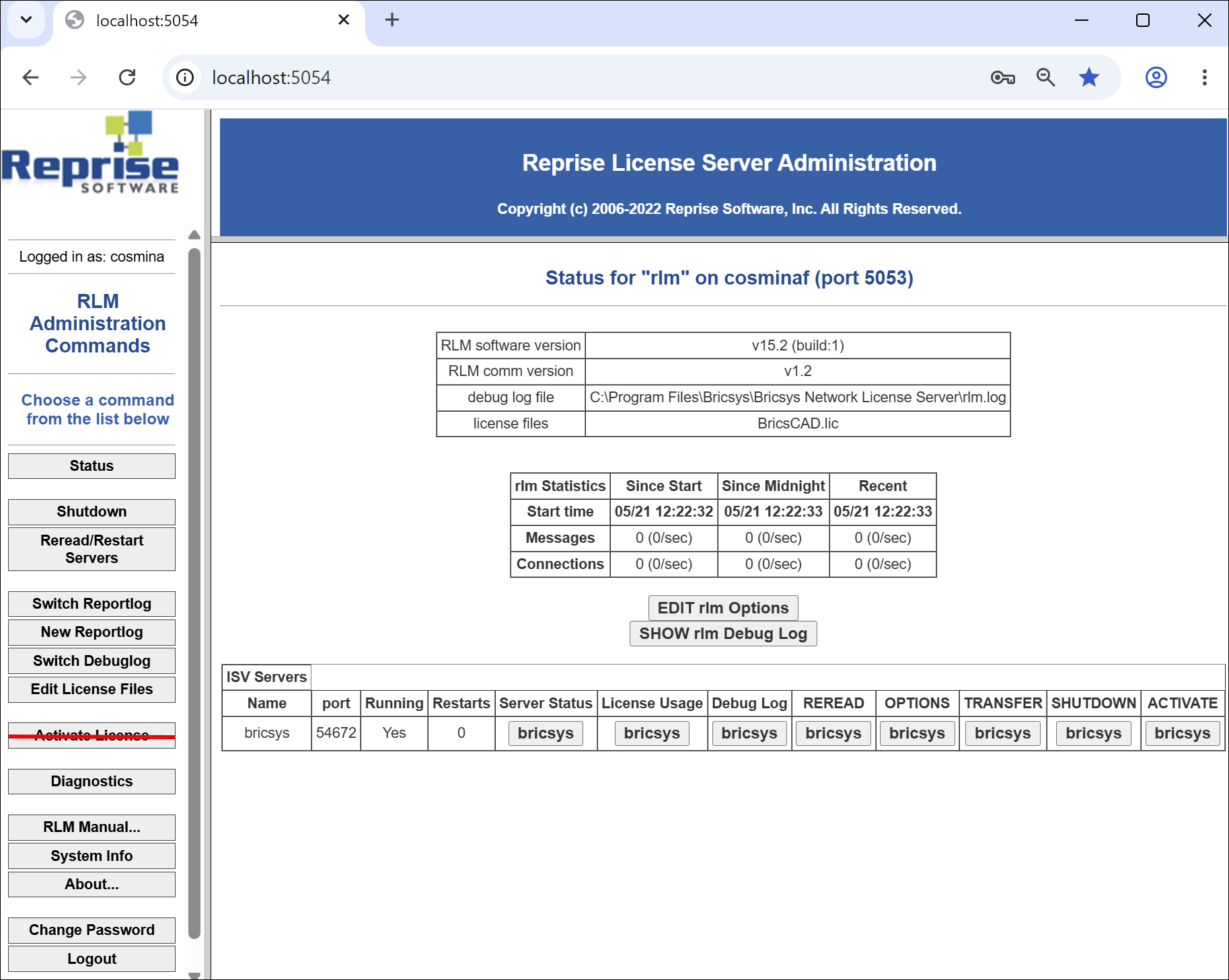
- Go to the RLM web UI (localhost:5054).
- Click the Status button on the left-side menu to display the Status for "rlm" page. The port column in the ISV Servers table shows the ISV port currently in use.
Set a fixed value for the ISV port
- Open the license file in a text editor (for example Notepad). The default location of the file is C:\Program Files\Bricsys\Bricsys Network License Server.
- In the ISV bricsys line, add the port number as follows
ISV bricsys port=[port_number].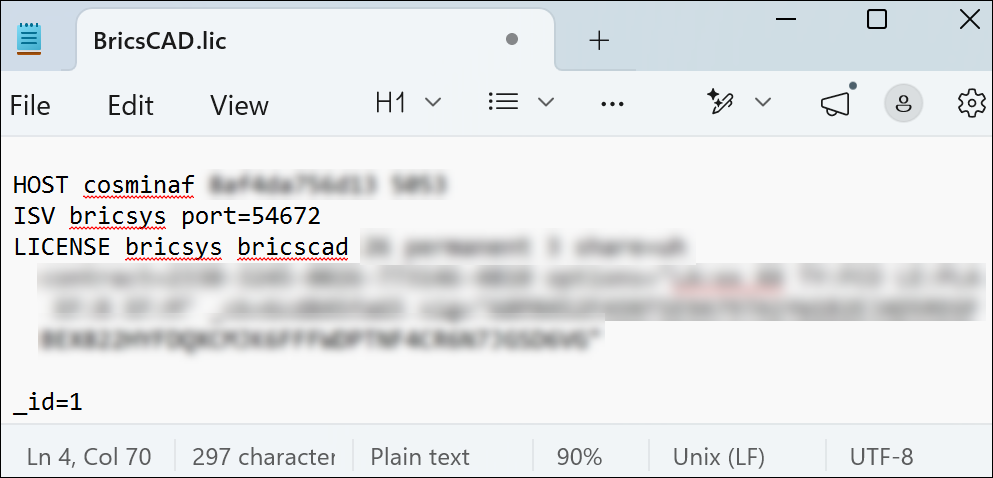
- Restart the computer or restart the RLM service from OS Services.
Note:
- The Network License Manager tool, located in the C:\Program Files\Bricsys\Bricsys Network License Server folder must be able to reach the license.bricsys.com/actpro on port 80 and https://api.bricsys.com/ on port 443.
- If a proxy server exists between BricsCAD and the Network License Server, proxy settings should be configured in BricsCAD. See the Proxy settings on a client computer article.