
Using a Network license on a client computer
- Once the network license is activated on the license server, do one of the following on the client computer:
- If you start BricsCAD for the first time, click the Activate license button in the BricsCAD dialog box.
- If you replace an existing license, launch the LICENSEMANAGER command, click Manage License and click Modify.
- Select the Network License option in the dialog box.
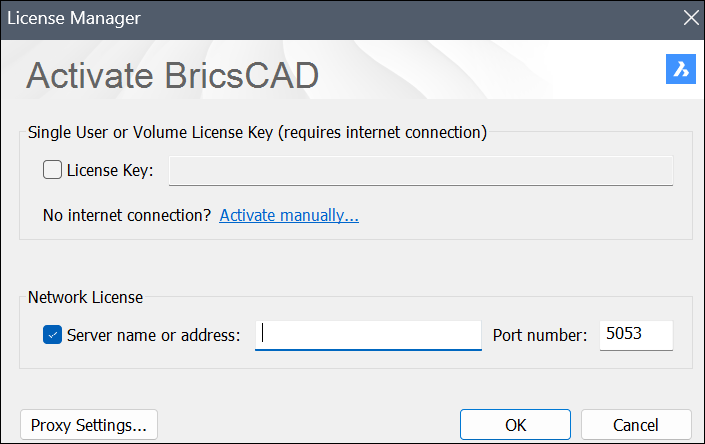
- Type the host name or IP address of the license server in the Server name or address field. If needed, change the port number in the Port Number field.Note: If your computer is connected to the license server through a proxy server, click the Proxy Settings button to configure the proxy settings for a network license.
- Click the OK button.