
Log in
English

BricsCAD Help Center

Product documentation
Knowledge base
Forum
Learning
Contact support
  1. Home/
EXTRIM command (Express Tools)

EXTRIM command (Express Tools)

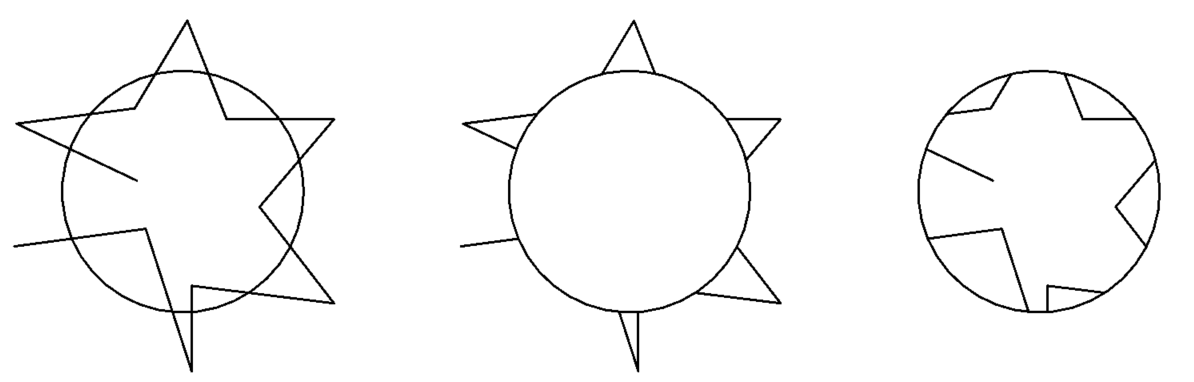
Trims entities that cross a cutting edge.

BricsCAD Lite; BricsCAD Pro; BricsCAD Mechanical; BricsCAD BIM

Method

Select the cutting edge entity, then click on the side you want to erase the entities from.

Note: The cutting edge entities accepted are: 3D Face, Polyline, Line, Circle, Arc, Ellipse, Image, Text or Attribute Definition.
Parent topic: Command reference
Related commands
  • BTRIM command (Express Tools)
  • EXTEND command
  • TRIM command
Related information
  • Express tools command overview
©2026 Intergraph Corporation and/or its affiliates. All rights reserved.Privacy statement -Terms of use -Cookie statement