
Import Properties dialog box
Opens via:
- PROPIMPORT command
- BIM Project Browser panel > Files tab > Schedules folder > XLSX or CSV file right-click context menu > Import properties option
The Import Properties dialog box manages the data to be imported from an XLSX or CSV file.
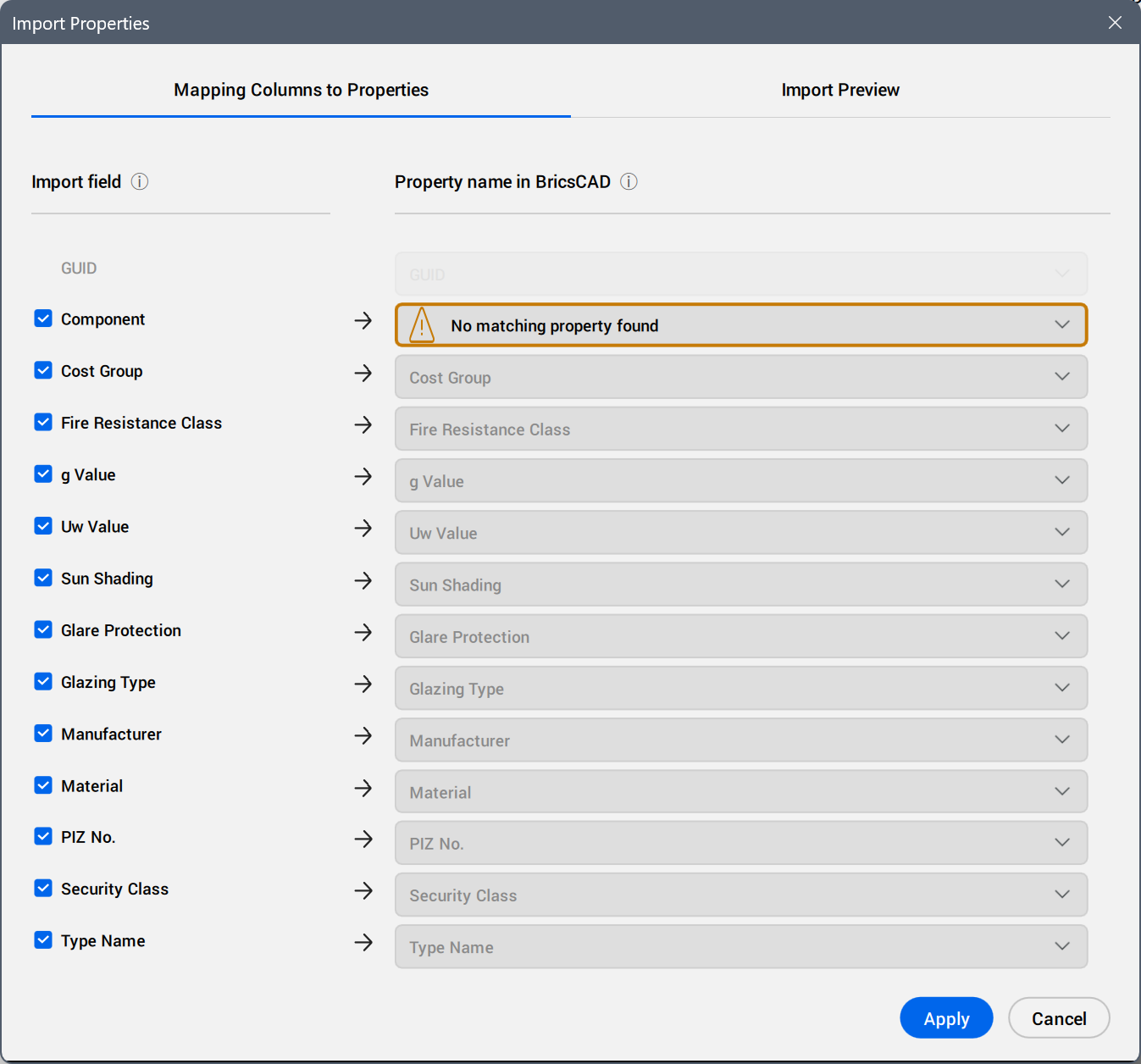
- Mapping Columns to Properties
-
- Import Field
- Selects the field data to import. Clear or select the checkboxes.
- Property name in BricsCAD
- Displays the properties automatically mapped by BricsCAD.
Click the field to select another property from the property tree. Use the search field to filter the displayed properties by the typed string.
A blue dot displays next to the manually mapped property.
- Import Preview
- Displays a preview of the table of imported values.Note: The values that cannot be correctly converted are displayed with a different color.
Click the column headers to sort the table rows by the values in the columns, ascending or descending.
- Show original values
- Shows either the converted or the original values for all cells (for example, 0/1 being converted to boolean Off/On values).