
Select GIS layers dialog box
Opens via: Export To GIS dialog box > Entities section > Select GIS layers button
The Select GIS layers dialog box allows you to select the GIS layers to export.
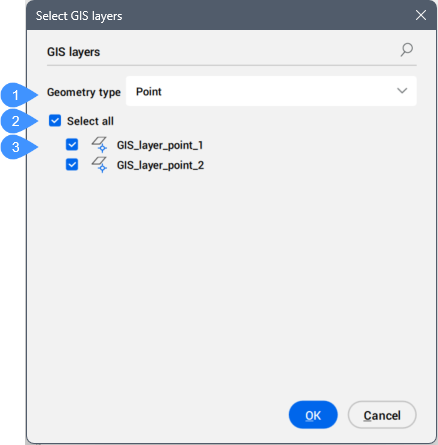
- Geometry type
- Select all
- GIS layer list
Geometry type
Allows you to select a geometry type from the drop-down list.
Note: The ESRI SHP export file format does not support layers with different geometry types.
Select all
Selects all GIS layers.
GIS layer list
Displays available GIS layers and allows you to select the layers to export.