
SuperHatch - Insert dialog box
Opens via: SUPERHATCH command (Express Tools) > SuperHatch dialog box > Block... option
The SuperHatch - Insert dialog box allows you to insert a block reference as a superhatch pattern.
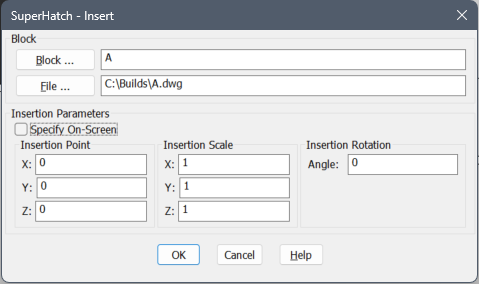
Block
Allows you to choose the block to insert.
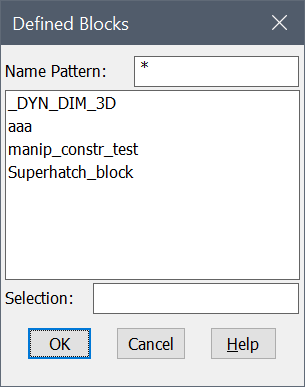
- Block ...
- Opens the Defined Blocks dialog box that lists all the blocks inserted in the current drawing.
- File ...
- Opens the Select Drawing File dialog box that allows you to insert a new block reference.
Insertion Parameters
Allows you to define the insertion parameters.
- Specify On-Screen
- Allows you to select the insertion point and specify the insertion parameters in the Command line.
- Insertion Point
- Allows you to introduce the insertion point coordinates of the block.
- Insertion Scale
- Allows you to introduce the scale factors of the block.
- Insertion Rotation
- Allows you to introduce the rotation angle of the block about its insertion point, starting with the X-axis as 0 degrees.