Crea una directriz y muestra su texto como un código QR.
Ícono:
Descripción
Crea una directriz con el texto representado como código QR de forma predeterminada.
Note:
El código QR de un texto se representa como una imagen ráster.
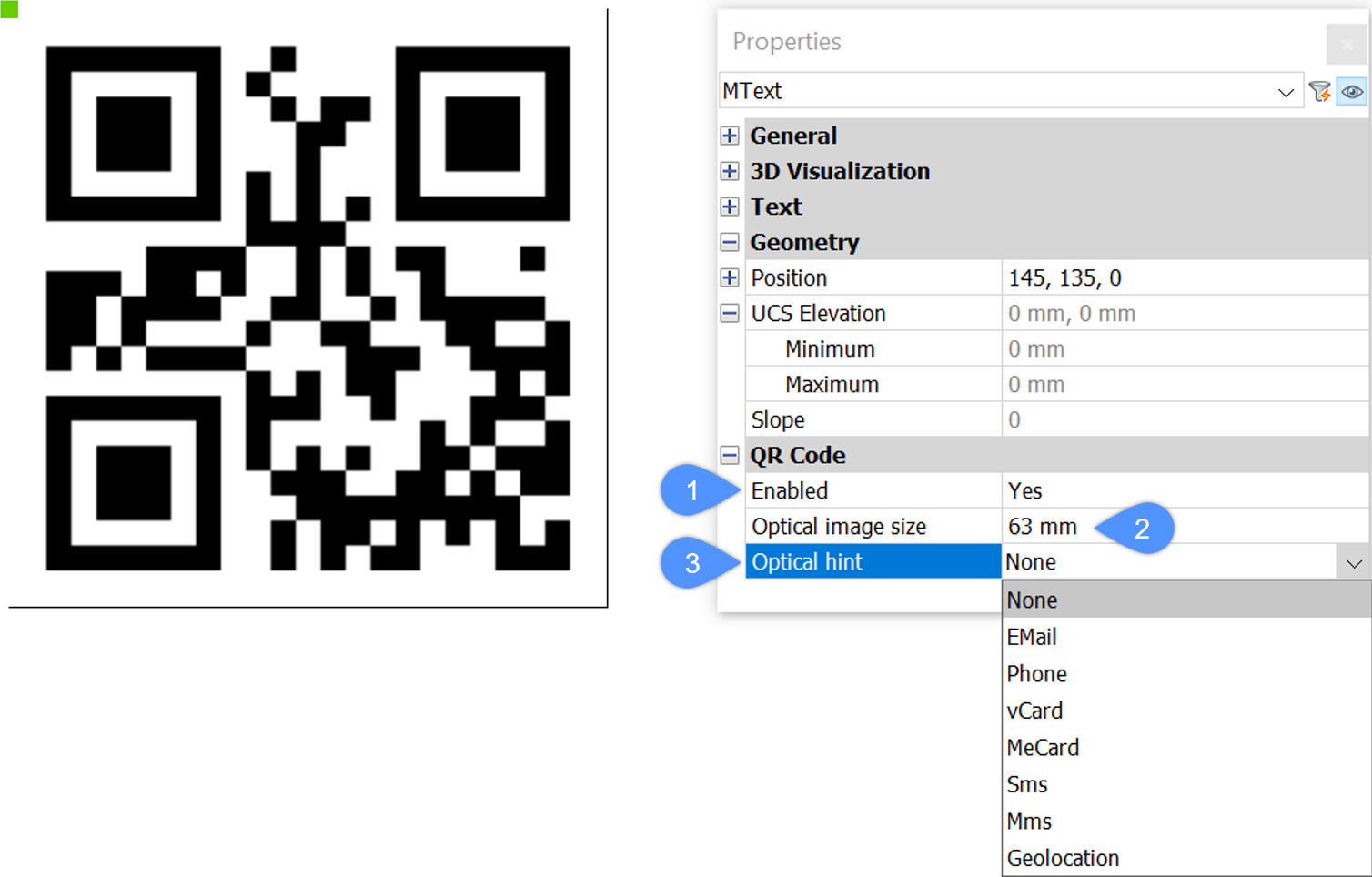
You can use the Properties panel to switch every text or mtext to QR code by setting the Enabled option to Yes (1), editing the Optical image size (2) and controlling the type of QR code by changing the Optical hint option (3).
The Optical hint option allows you to specify 7 hints for QR code scanner: EMail, Phone, vCard, MeCard, Sms, Mms, Geolocation.
Opciones dentro del comando
Las opciones de línea de comando son idénticas a las opciones de línea de comando en el comando DIRECTRIZ. Consulte el artículo del comando DIRECTRIZ para obtener más información.