
CHMURAPUNKTÓWDOPASUJPLANARNIE polecenie
Tworzy płaską powierzchnię lub bryłę z punktu chmury punktów.

Ikona: 
Metoda
Polecenie przeszukuje chmurę punktów w celu znalezienia gęstego zbioru punktów płaskich wokół wybranych punktów zalążkowych i tworzy powierzchnię płaską lub bryłę, jeśli to możliwe.
Można tworzyć wiele powierzchni lub brył, dopóki nie anulujesz polecenia.
Uwaga: W przypadku ustrukturyzowanych chmur punktów polecenie można wykonać zarówno w widoku modelu, jak i w widoku bąbelkowym. Przed uruchomieniem polecenia kliknij dwukrotnie dymek, w którym chcesz je uruchomić. Zostanie otwarta Przeglądarka Bąbelków.
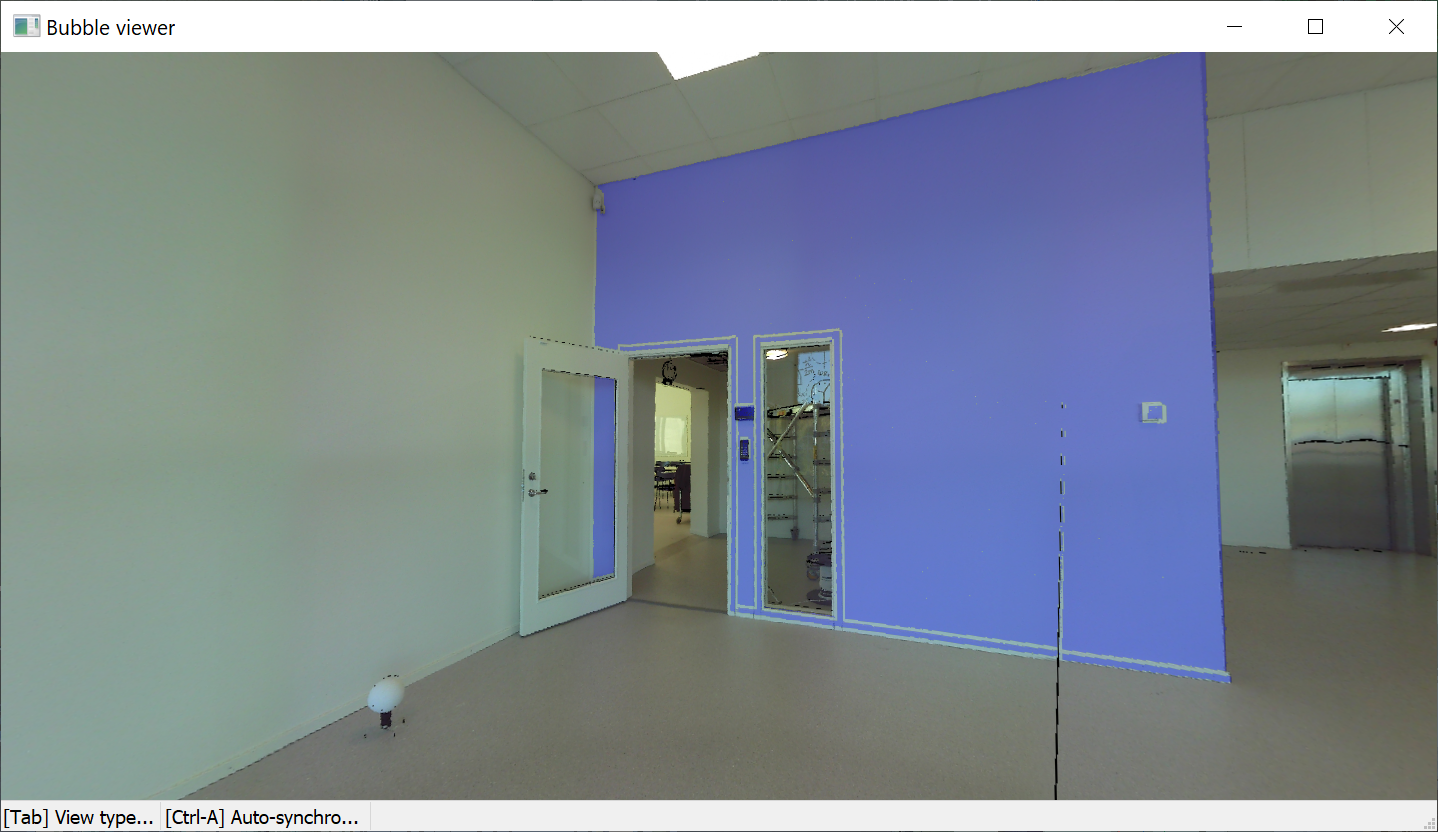
Uwaga: Użyj kombinacji klawiszy Shift + kliknięcie, aby szybko zaznaczyć sąsiadujące powierzchnie. Użyj opcji wiersza poleceń Połącz powierzchnie, aby połączyć powierzchnie.
Polecenie otwiera panel kontekstowy polecenia Chmura Punktów Dopasuj Planarnie.
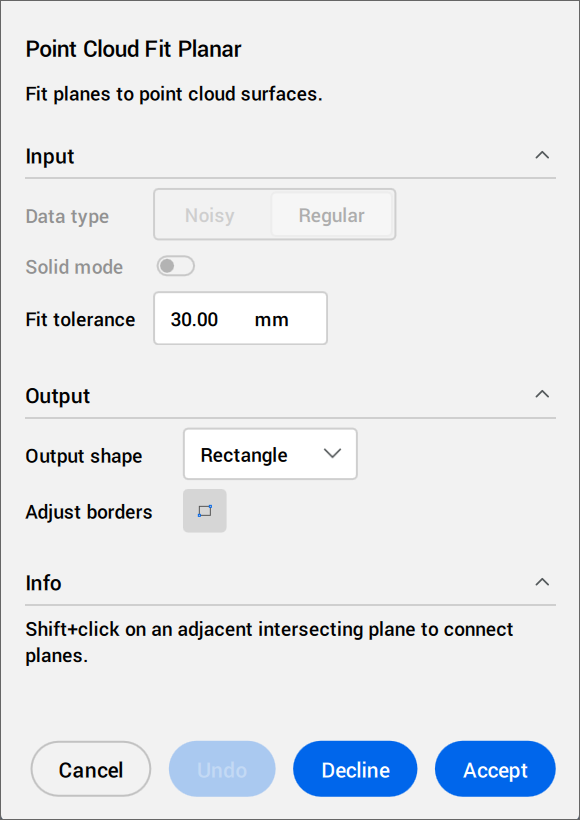
Postępuj zgodnie z instrukcjami wyświetlanymi w sekcji Informacje. Dostosuj ustawienia Wejścia i Wyjścia.
Opcje w panelu kontekstowym poleceń
- Wejście
- Określa ustawienia wejściowe.
- Typ danych
- Dostępne tylko w widoku modelu.
- Zaszumiony
- Wykonuje solidną detekcję danych o niskiej jakości lub zaszumionych. Wymaga wybrania trzech punktów startowych.
- Regularny
- Wykonuje normalne wykrywanie danych. Wymaga wskazania jednego punktu początkowego
- Tryb bryły
- Dostępne tylko w widoku modelu.
Wyszukuje równoległą płaszczyznę w chmurze punktów (na przykład ścianę lub płytę), aby utworzyć bryłę.
- Wyłączony: Wyłącza obliczenia danych w trybie stałym w celu zaoszczędzenia czasu.
- Włączony:Włącza obliczenia danych w trybie stałym.
Uwaga: Tryb bryłowy jest dostępny tylko w widoku modelu, jeśli wykryty zostanie gęsty obszar w płaszczyźnie równoległej do wykrytej powierzchni.
- Tolerancja dopasowania
- Ustawia wartość tolerancji dla dopasowania płaszczyzny.
- Przełącz Bąbelki
- Dostępne tylko w trybie bąbelkowym.
Przełącza między przeglądarkami bąbelków. Wybierz bąbelek do przełączenia.
- Wyniki pracy
- Określa ustawienia wyjściowe.
- Kształt wyjściowy
- Wyświetla opcje kształtu wyjściowego.
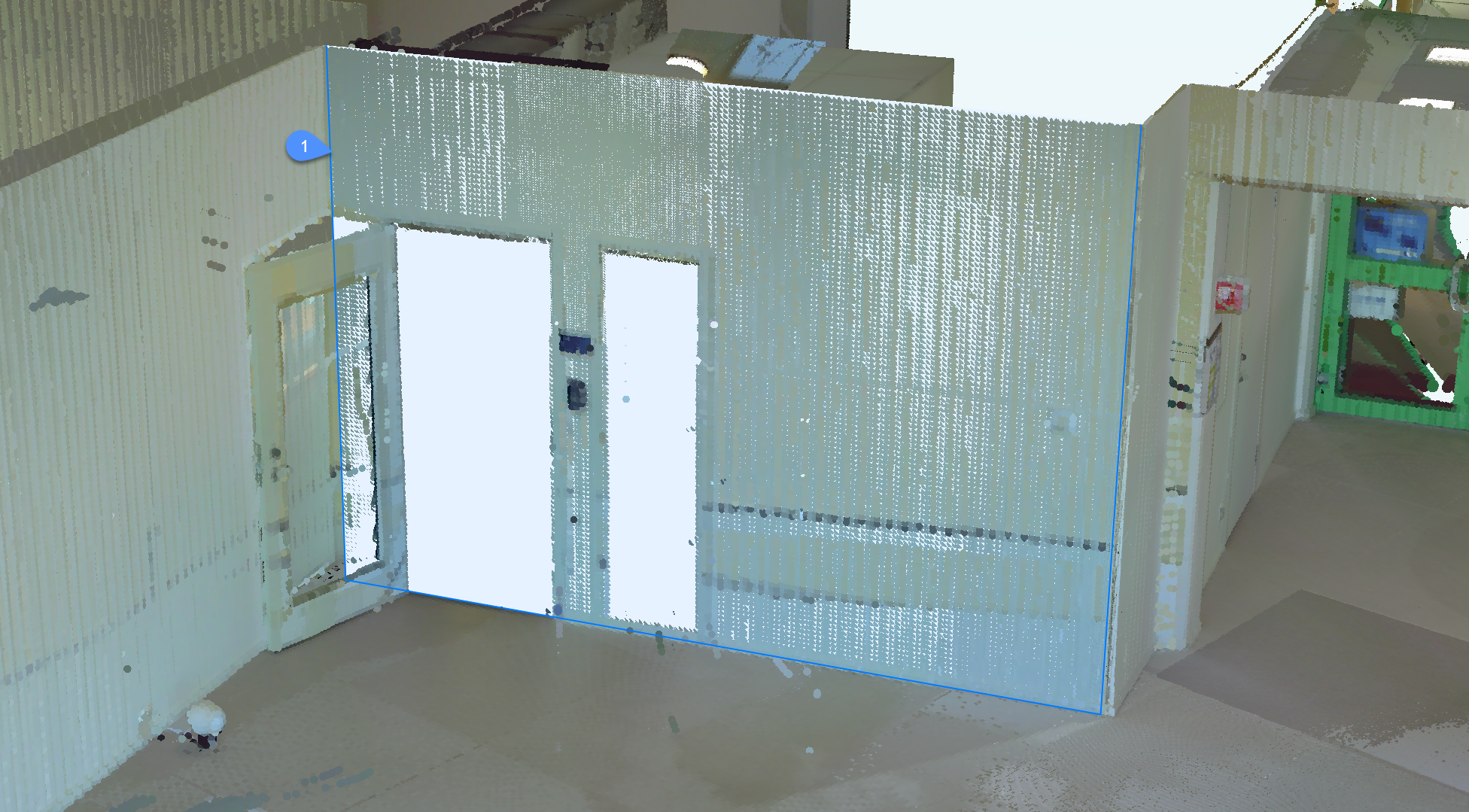
- Prostokąt
- Tworzy pojedynczą płaszczyznę wokół wybranego punktu, zewnętrzną granicę prostokąta.
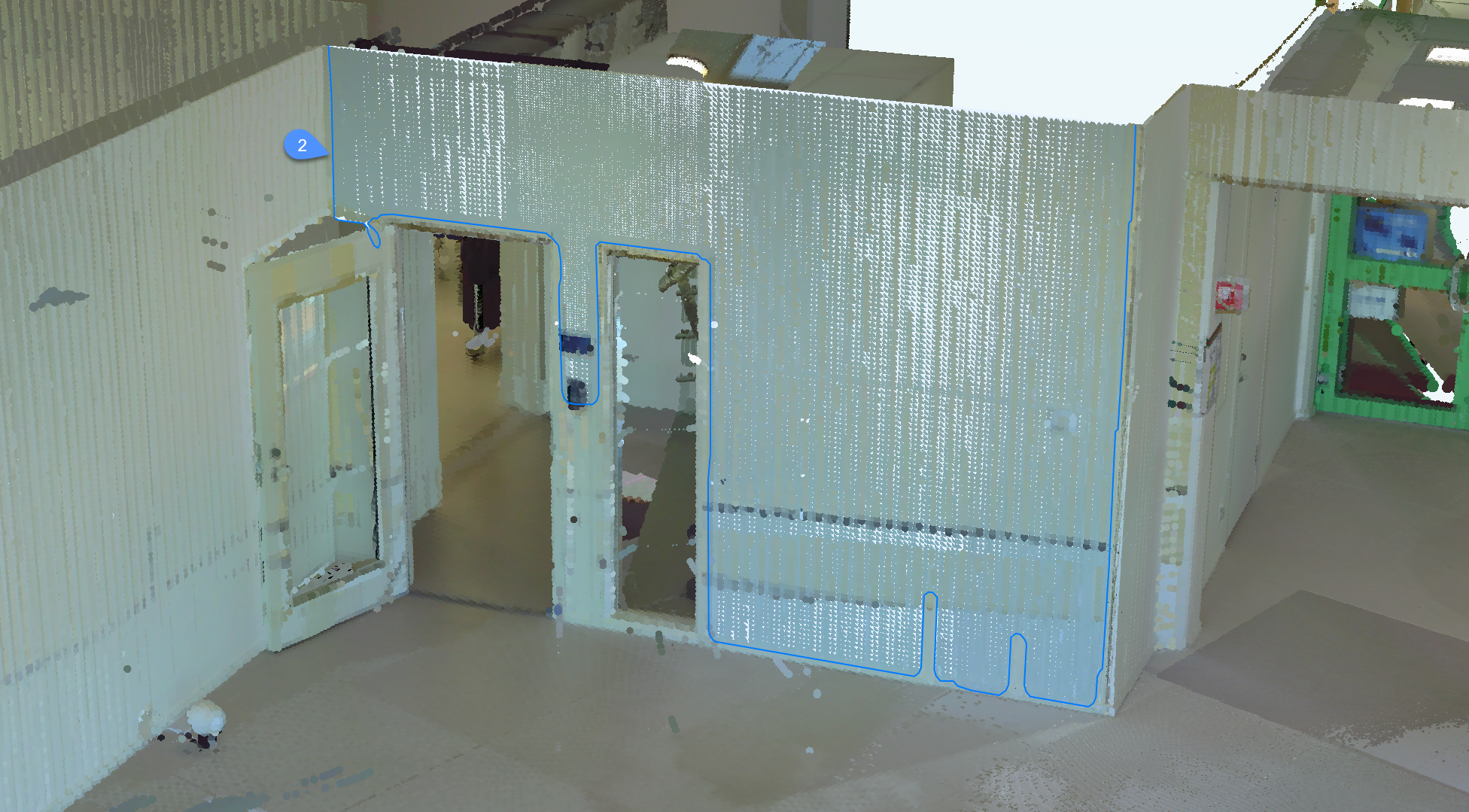
- Kontur
- Tworzy pojedynczą płaszczyznę wokół wybranego punktu i zarysowuje zewnętrzną granicę.
- Bryła
- Tworzy bryłę prostopadłościenną, której ściana zawiera określony punkt zerowy i automatycznie wykrytą drugą płaszczyznę w pobliżu.
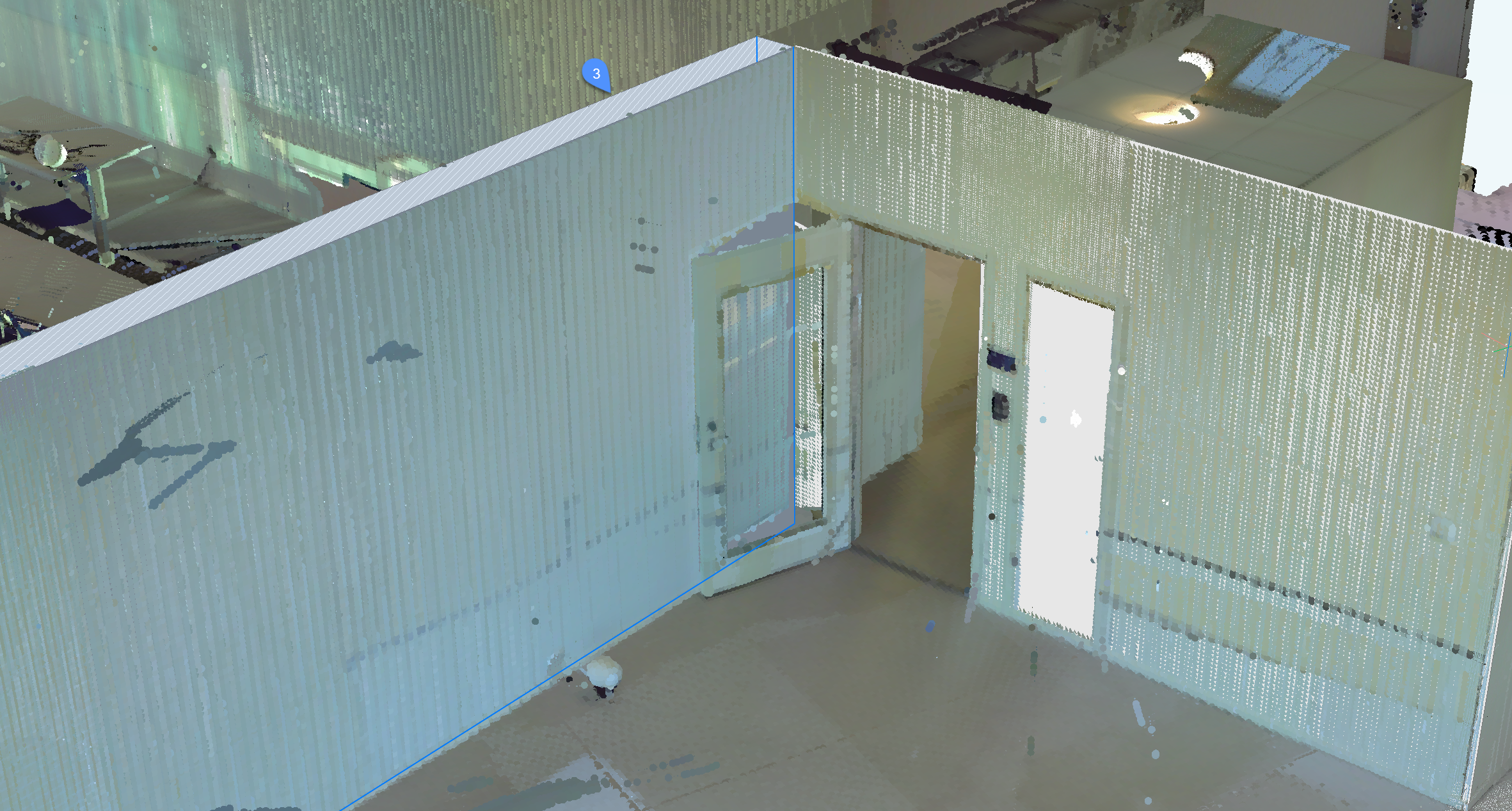
Uwaga: Naciśnij klawisz Ctrl, aby przełączać się pomiędzy dostępnymi trybami.
- Dostosuj granice
- Definiuje nową granicę dla wybranej płaszczyzny poprzez określenie wierzchołków. Wybierz wierzchołki na granicy.
- Wybierz Otwór
- Dostępne tylko w trybie bąbelkowym.
Tworzy otwór poprzez wybranie punktu na powierzchni otworu.
- Anuluj
- Kończy polecenie.
- Cofnij
- Usuwa ostatnio dodaną powierzchnię z bieżącego zestawu zaznaczeń. Użyj Odrzuć opcja usunięcia całego zestawu.
- Odrzuć
- Odrzuca bieżącą płaską powierzchnię lub bryłę.
- Akceptuj
- Akceptuje bieżącą płaską powierzchnię lub bryłę.
Opcje w ramach polecenia
- Zszyj Powierzchnie
- Zszywa sąsiadujące powierzchnie wybrane w trybie szybkiego wyboru. Uwaga: Szybki wybór można aktywować przytrzymując klawisz Shift.
Uwaga: Pozostałe opcje w wierszu poleceń odzwierciedlają opcje dostępne w panelu kontekstowym poleceń.