
Leica Connector dialog box
Opens via:
- LEICACONNECTOR command
- Civil Explorer panel > Civil tab > Connections > right-click a Leica connection > Edit option
The Leica Connector dialog box connects directly to a Leica Infinity database and displays updates to imported Civil points and string objects in both the drawing and the Leica Infinity file.
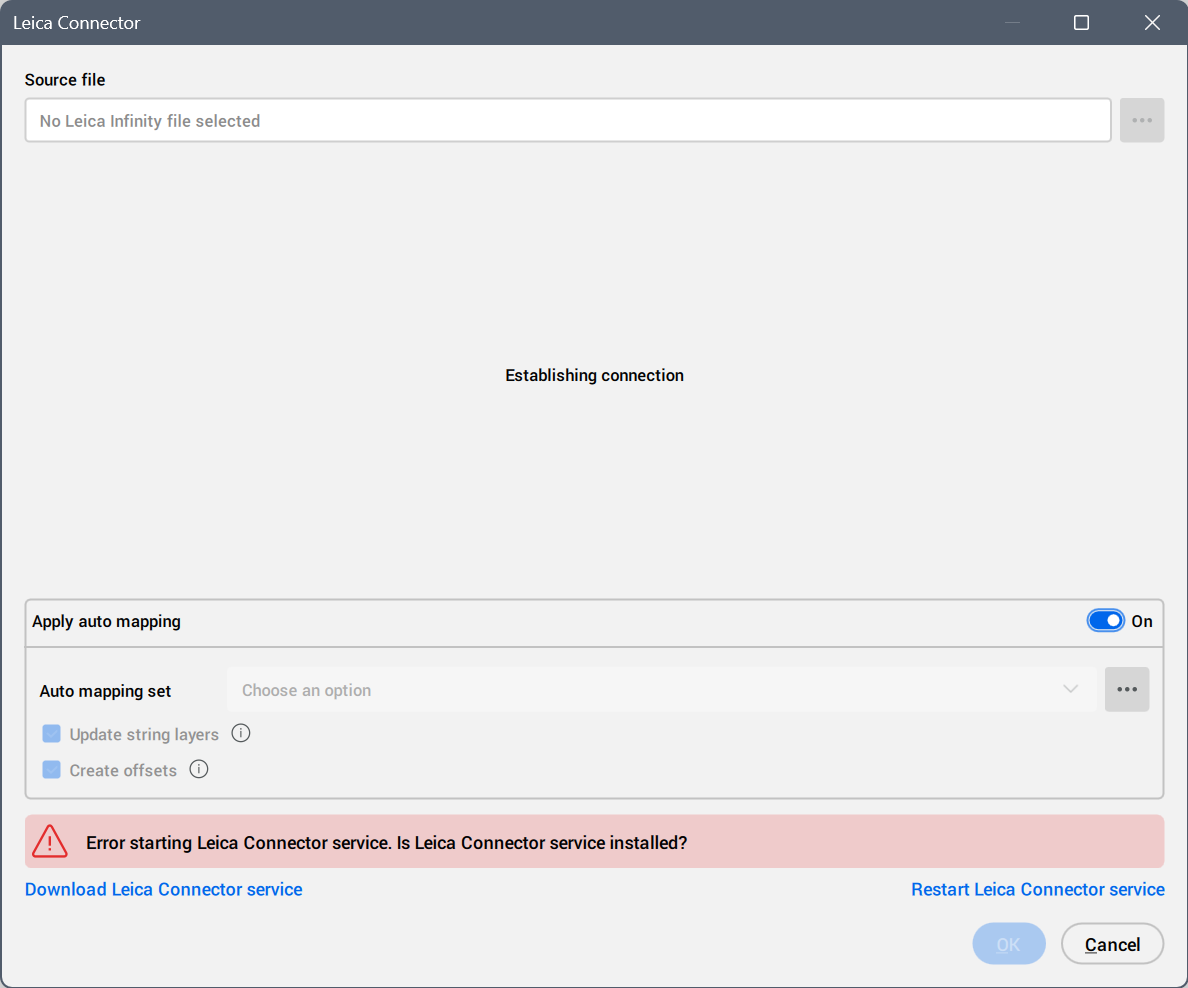
When you run the LEICACONNECTOR command for the first time, an error message asks if the Leica Connector service is installed.
Click the Download Leica Connector service button to automatically download the installer for the Leica Connector service application, then install it.
Run the LEICACONNECTOR command again to open Leica Connector dialog box.
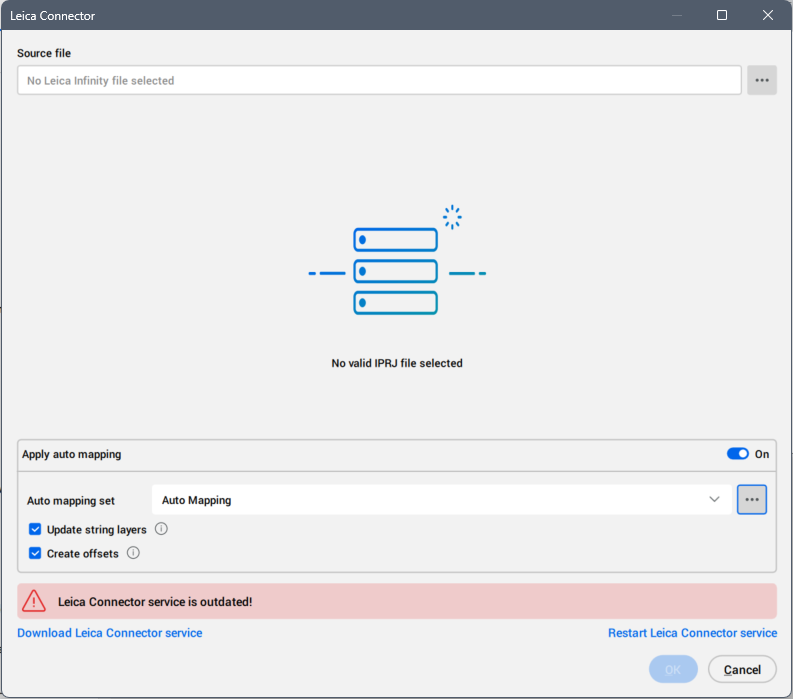
Source file
Selects a source Leica Infinity IPRJ file. Click the Browse button ( ) to open the Import dialog box and select the Leica Infinity IPRJ file to import.
Apply auto mapping
Turns on or off the visibility of the auto mapping set options.
- Auto mapping set
- Selects an auto mapping set from the drop-down list or click Browse button () to open the Edit Auto Mapping Set dialog box, where you can edit the selected auto mapping set or create a new one.
- Update string layers
- When turned on, uses auto mapping set linework layer definitions to set string layers from associated points. Points must be inserted into the drawing.
- Create offsets
- When turned on, uses special codes found in points and defined in the auto mapping command code set to generate offset strings.
Download Leica Connector service
Automatically downloads the installer for the Leica Connector service application.
Restart Leica Connector service
Restarts the Leica Connector service.
After the Leica connection is established, all imported Leica Infinity objects are listed.
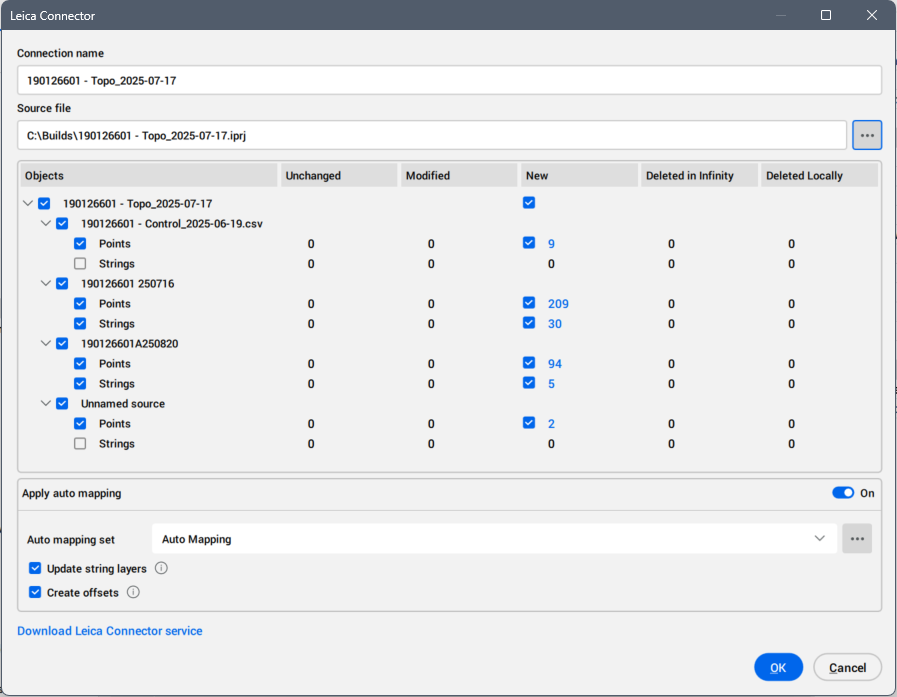
Connection name
Displays the connection name. The default name is the name of the imported Leica Infinity IPRJ file. Click the field to edit it.
Leica Infinity database
Lists the imported Leica Infinity objects.
- Objects
- Displays the Civil points and strings imported from the Leica Infinity IPRJ file.
- Unchanged
- Displays the numbers of the unmodified objects in the drawing.
- Modified
- Displays the numbers of the modified objects in the drawing.
- New
- Displays the numbers of the objects imported from Leica Infinity file in the drawing.
- Deleted in Infinity
- Displays the number of objects deleted from the Leica Infinity IPRJ file since the last load.
- Deleted Locally
- Displays the number of imported objects that have been deleted from the drawing.