
Migrating custom command aliases
Command aliases are alternative names for commands, and they are saved in a PGP file.
To migrate custom command aliases, locate each file, copy the custom command alias definitions and save them in the corresponding BricsCAD file.
Migrating custom command aliases from AutoCAD®
Go to the AutoCAD® Support folder, open the acad.pgp file in a text editor and scroll down to the User Defined Command Aliases section. Select the custom command alias definitions and copy them.
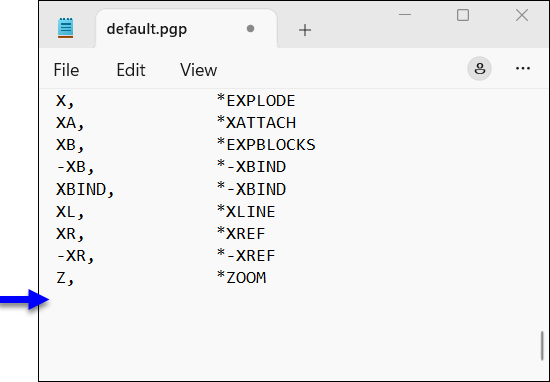
Then, go to the BricsCAD Support folder and open the default.pgp file in a text editor. Paste the custom command alias definitions at the end of the file, save the file and exit.
Migrating custom command aliases from a previous BricsCAD version or a different computer
Go to the Support folder in the previous version of BricsCAD or in BricsCAD on a different computer. Open the default.pgp file with a text editor and copy the custom command alias definitions.
Then, in the current version of BricsCAD go to the Support folder and open the default.pgp file in a text editor. Paste the custom command alias definitions at the end of the file, then save and close it.