
Deactivate a BricsCAD license
When to deactivate
Make sure you deactivate a license before:
- Migrating a license to another computer.
- Permanently removing BricsCAD from a computer.
- Installing a new hard disk.
- Restructuring the disk partitions.
- Upgrading the operating system.
Steps to deactivate a license
- Launch BricsCAD.
- Launch the LICENSEMANAGER command to open the BricsCAD License Manager dialog box.
- Click the Manage License button to open the dialog box.
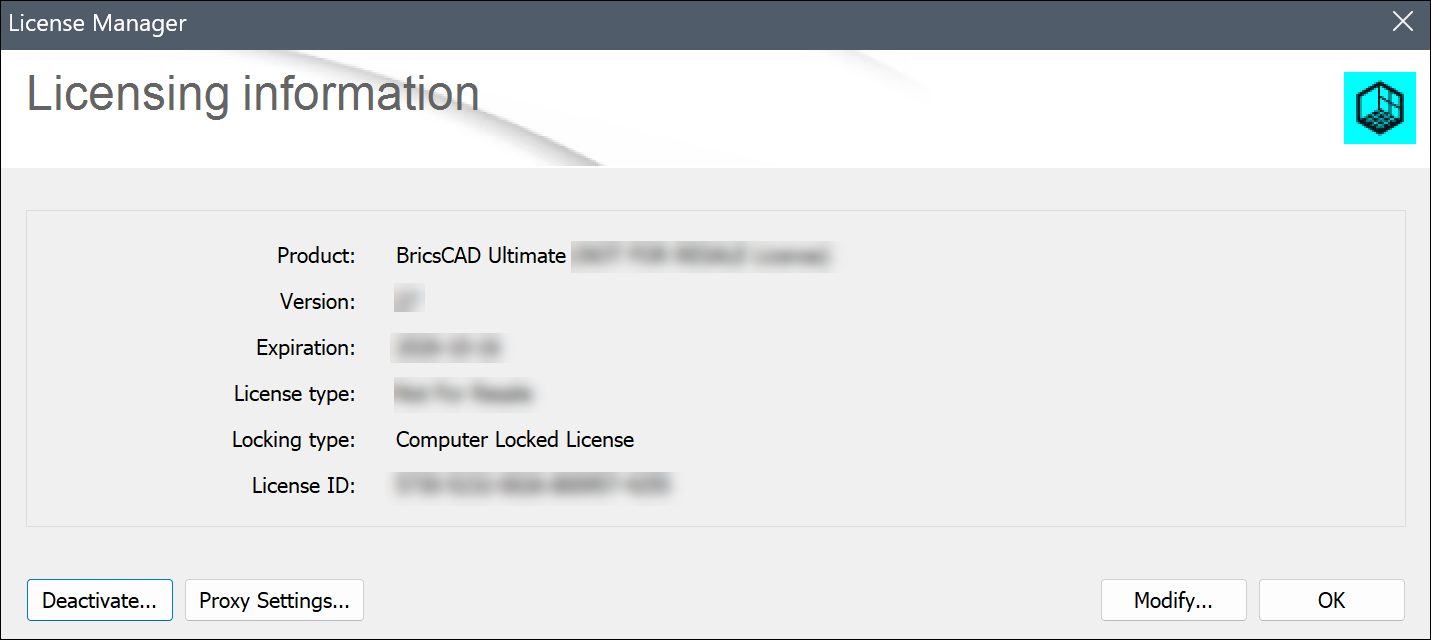
- Click the Deactivate... button.
- Click the Yes button to confirm the license deactivation.
Note:
- To deactivate a BricsCAD license, an internet connection is required.
- You cannot deactivate network licenses and manually activated single-user licenses.
- To automate license deactivation, see the How to automate activation and deactivation of local BricsCAD licenses using the LicTool application article.