
MANAGEEXPERIMENTALFEATURES command
Allows you to turn on or off the Experimental mode.

Description
Opens the Experimental Features dialog box to turn on or off the Experimental mode.
Note:
- The Experimental mode is disabled by default. Enabling the mode gives you access to early features, and provides you with the opportunity to help the BricsCAD team in defining the direction of these features.
- Enabling or disabling the Experimental mode requires a restart of BricsCAD.
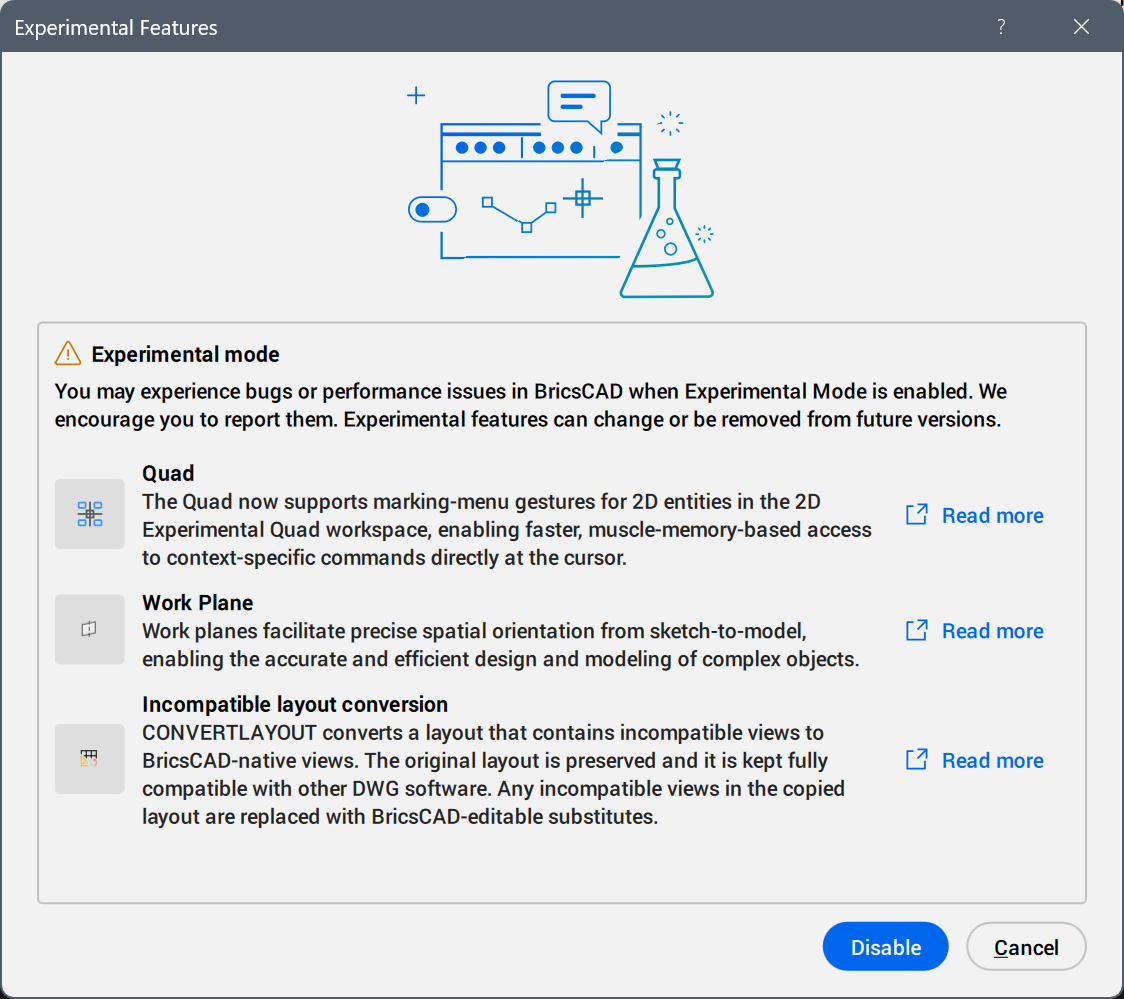
Note: Press the Read more button to open the relevant help page.
Important: You may experience bugs or performance issues in BricsCAD when the Experimental mode is enabled. We encourage you to report them. Experimental features can change or be removed from future versions.
The experimental features available at the moment are:
- Work Plane
- Work planes facilitate precise spatial orientation from sketch-to-model, enabling the accurate and efficient design and modeling of complex objects.
- Incompatible layout conversion
- CONVERTLAYOUT converts a layout that contains incompatible views to BricsCAD-native views. The original layout is preserved and it is kept fully compatible with other DWG software. Any incompatible views in the copied layout are replaced with BricsCAD-editable substitutes.