
Creates web lights.
Icon: 
Description
Creates web lights, which illuminate scenes with a 3D representation of the light's intensity distribution.
Note:
- Web lights are defined by IES files, which are provided by lighting manufacturers.
- The command is not allowed when LIGHTINGUNITS system variable = 0.
- If the LIGHTINGUNITS system variable is 1 (American lighting units) or 2 (International lighting units), you need to specify the location of the light in 3D space and of the point at which the light is focused.
Options within the command
- Name
- Specifies a name for the light.
- Intensity factor
- Specifies the intensity of the light. Enter an intensity value between 0.00 and the maximum value supported by your system (max float = maximum value of a floating point number).
- Status
- Toggles the status of the light.
-
- ON
- Light is included when calculating renderings.
- OFf
- Light is excluded when calculating renderings.
- Photometry
- Specifies the photometric properties of the light.
-
- Intensity (Cd)
- Indicates the intensity expressed in candela (Cd).
-
- Flux (Lm)
- Indicates the luminous flux expressed in lumens (Lm).
- Illuminance (Lx)
- Indicates the illuminance expressed in lux (Lx) or in Distance, expressed in drawing units.
- Color
- Specifies a color name or choose an option.
-
- ?
- Allows you to enter a color name.
-
- *
- Displays all the available color names.
-
- Kelvin
- Specifies a color temperature expressed in Kelvin degrees.
- weB
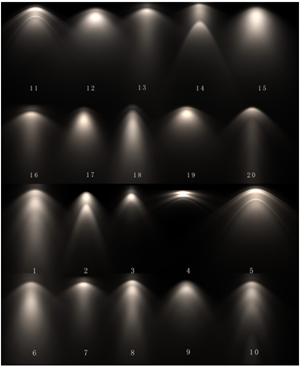
- Specifies the light distribution map, called web as an uneven light distribution can look like a spider's web.
-
- File
- Specifies a Web file name (.IES file). This is a text file that describes the intensity of a light source at many points on a spherical grid (image credit Vertheim).
- X
- Defines the X rotation for the web.
- Y
- Defines the Y rotation for the web.
- Z
- Defines the Z rotation for the web.
- shadoW
- Specifies the look of shadows cast by this light.
-
- Off
- Disables the calculation of shadows for the light.
- Sharp
- Displays shadows with sharp edges. Use this option to increase performance.
- soFt mapped
- Displays realistic shadows with soft edges.
- soft sAmpled
- Displays realistic shadows with softer shadows based on extended light sources.
-
- Shape
- Defines the shape of the shadow circular (Disk) or rectangular (Rect) and their dimensions.
- sAmples
- Defines the sampling size of the shadow. Larger numbers are more accurate but take longer to render.
- Visible
- Defines the shape visibility.
Type Yes or No to cast a shadow that represents shapes (more accurate) or that is rectangular (faster to render).
- filterColor
- Specifies the color of the light by entering the true color (R, G, B) or entering an option.
-
- True color (R, G, B)
- The RGB color model is an additive color model in which red, green, and blue light are added together in various ways to reproduce a broad array of colors. The name of the model comes from the initials of the three additive primary colors, red, green, and blue. The component values are stored as integer numbers in the range 0 to 255, the range that a single 8-bit byte can offer (by encoding 256 distinct values).
- Index color
- Specifies a color name or number.
- Hsl
- Specifies the color using three parameters, Hue, Saturation and Lightness.
-
- Colorbook
- Specifies the colorbook name and the color name inside of it. Verify if the colorbook (*.acb) file is located in the folder indicated by the COLORBOOKPATH system variable.
