
Export To LandXML dialog box
Opens via: LANDXMLEXPORT command
The Export To LandXML dialog box exports the selected BricsCAD Civil objects (Civil points, TIN surfaces and volume surfaces, gradings, alignments, strings) to a LandXML file.
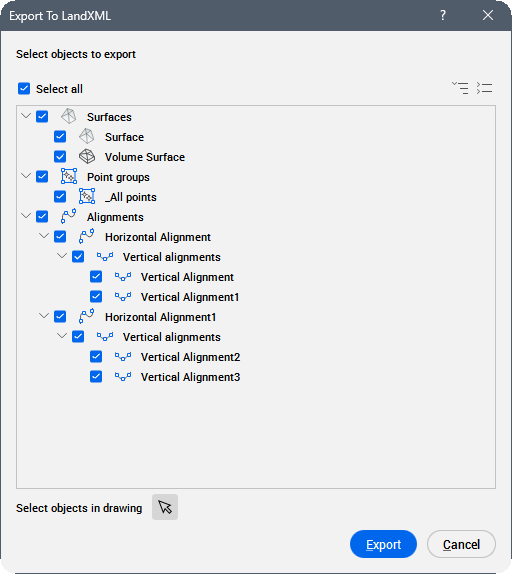
Select all
Selects all Civil objects in the tree view for export.
Expand all
Expands all nodes in the tree view.
Collapse all
Collapses all nodes in the tree view.
Select objects in drawing
Click the select icon ( ) to temporarily dismiss the Export To LandXML dialog box and select Civil objects in the drawing to export.
Export
Opens the Save LandXML file dialog box to define the location and name of the output LandXML file.