
Map Connect dialog box
Opens via: MAPCONNECT command
The Map Connect dialog box creates and manages connections to Web Map Service (WMS) servers.
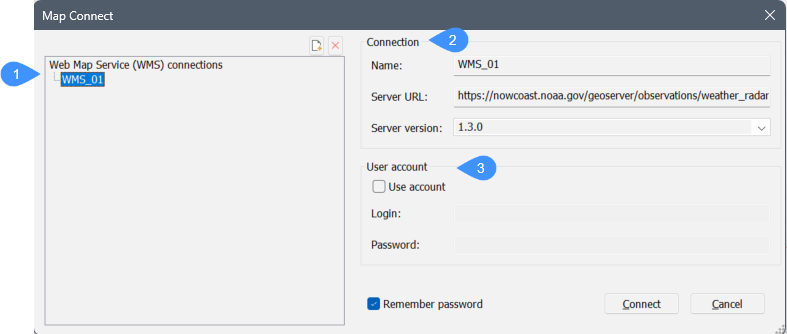
WMS connections
Displays a list of available WMS connections.
Connection
Defines a WMS connection.
- Name
- Specifies the name for the connection.
- Server URL
- Specifies the URL of the WMS server to connect to.
- Server version
- Specifies the server version by choosing one from the drop-down list.
User account
Specifies the credentials for servers that require authentication.
- Use account
- If checked, you can log in using a user name and password.
- Login
- Specifies the user name for the account.
- Password
- Specifies the account password.
- Remember passwords
- If checked, saves the user name and password for future connections.
- Connect
- Connects to the Web Map Server and opens the Select Map Data dialog box.