
Add Labels dialog box
Opens via:
- ADDAREALABELS command
- ADDLINECURVELABELS command
- ADDSECTIONVIEWLABELS command
- ADDSURFACELABELS command
- ADDVERTICALALIGNMENTVIEWLABELS command
The Add Labels dialog box allows you define the labels to be added to the selected entity.
This dialog box is modeless, so you can continue working in the drawing while it is open.
Note: The options in the dialog box differ depending on the command launched.
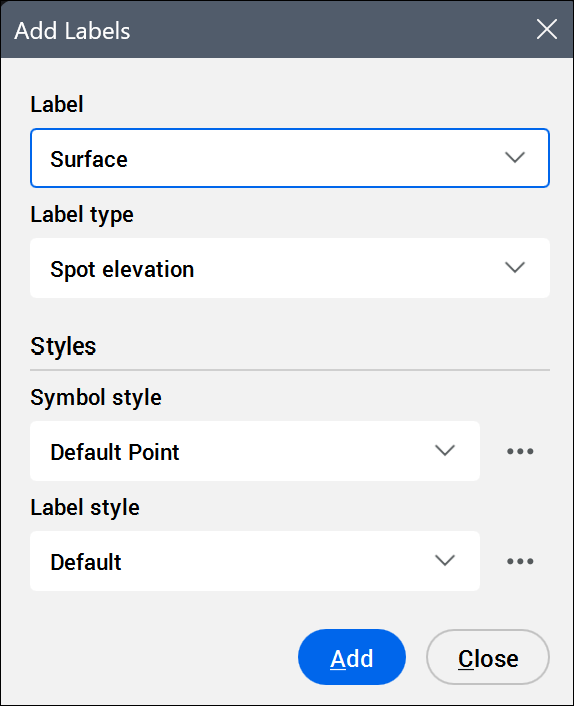
- Label
- Displays the preselected label, according to the command used.
- Label type
- Sets the label type.
- Styles
- Sets the label style and/or symbol style.
Click the Select style... button (
 ) to display the available styles in the Select Style dialog box.Tip: To edit styles or create new ones, click the Edit style... or Copy style... button next to a style in the Select Style dialog box. This opens the Label Style Editor dialog box.