
Seleccionar Estilo - cuadro de diálogo
Se abre a través de:
- CIVILPOINT command > Create Civil Points dialog box > Symbol Style or Label Style option > click the Select style... button (
 )
) - SECTIONLINES command > Create Section Lines dialog box > Labels Style option >click the Select or edit style... button ()
- SECTIONVIEWS command > Create Section View dialog box > Style option > click the Select or edit style... button ()
- ADDSURFACELABELS, ADDAREALABELS, ADDLINECURVELABELS or ADDSECTIONVIEWLABELS command > Add Labels dialog box > Styles section > click the Select style... button ()
- CALCULATESECTIONVOLUMES command > Calculate Section Volumes dialog box > Material style option > click the Edit material styles button ()
- ALIGNMENTVIEW command > Create Vertical Alignment View dialog box > Style option > click the Select or edit style... button ()
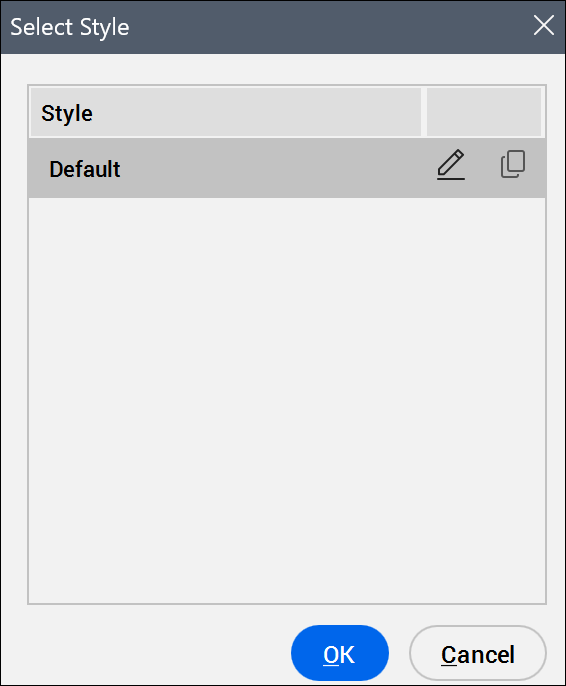
Lista de estilos
Muestra los estilos disponibles.
Editar estilo...
Opens the Symbol Style, Label Style Editor, Section View Style, Shape Style or Vertical Alignment View Style dialog box to edit selected symbol, label, section view, vertical alignment view or shape styles.
Copiar estilo...
Opens the Symbol Style, Label Style Editor, Section View Style, Shape Style or Vertical Alignment View Style dialog box to create a copy of the selected symbol, label, or section view style.
Nota: Los estilos de símbolo y de etiqueta se definen en la pestaña Configuraciones del panel Explorador civil.