
Chamfer Settings dialog box
Opens via:
- PDIM command > chaMfer option > Representation option
- AMPOWERDIM_CHAM command
The Chamfer Settings dialog box sets the chamfer representation for the chamfer dimension.
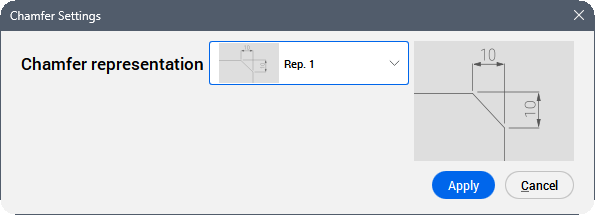
Chamfer representation
Opens a drop-down list to select a chamfer representation.
Preview
Displays a preview of the selected representation.