
Flyout Options dialog box
Opens via: Tool Palettes panel
The Flyout Options dialog box specifies which shapes appear in the flyout for the selected tool in the Tool Palettes panel.
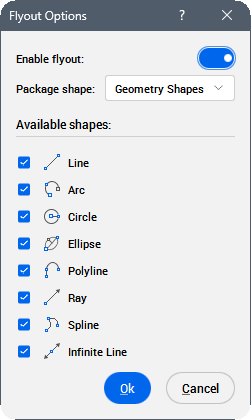
Enable flyout
Toggles the flyout for the selected tool. When toggled on, the tool displays a flyout containing multiple shapes.
Package shape
Defines which shapes appear in the flyout for the selected tool.
Note:
- Tool flyouts via XTP import are supported.
- The predefined Package shape flyout options are available in the shapes.btc file: C:\Users\%username%\AppData\Roaming\Bricsys\BricsCAD\V26x64\en_US\Support\shapes.btc.
Available shapes
Lists all available shapes to include in the flyout for the selected tool.
Note: All options are selected by default. Deselect any options you want to exclude from the flyout.