
Create Material Volume Table dialog box
Opens via: MATERIALVOLUMETABLE command
The Create Material Volume Table dialog box generates a material volume table for a previously created Section line group and Material list. This table can be inserted into the drawing and saved as a CSV file.
For more details, see the SECTIONLINES command and CALCULATESECTIONVOLUMES command articles.
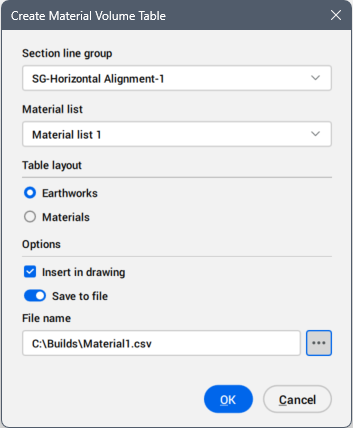
- Section line group
- Selects the section line group that define the section volume.
- Material list
- Selects the material list name.
- Table layout
- Defines the table layout.
- Options
- Defines how the table is used.
-
- Save to file
- When turned on, saves the table as a CSV file.
-
- File name
- Displays the file name. Click the Browse button (
 ) to open the Select CSV file dialog box, then choose the path and a file name for the CSV file.