
ARRAYRECT command
Creates a rectangular array of entities.

Icon: 
Description
Associatively distributes copies of entities into any number of rows, columns and levels.
Options within the command
- ASsociative
- Determines whether an array entity is created or a series of copies of the selected entities.Note:
- The default setting is saved by the ARRAYASSOCIATIVITY system variable.
- See the Arraying entities article for more information about creating or editing associative arrays.
- Base point
- Sets the base point of the array. Items are placed relative to the base point.
- COUnt
- Specifies the number of rows and columns.
- Spacing
- Specifies the distance between columns and/or rows.
- Unit cell
- A rectangle is displayed dynamically. Specify a point or enter the desired column and row spacing in the dynamic entry fields. To switch back and forth between the entry fields, press the Tab key.
- COLumns
- Specifies the number of columns and the spacing between subsequent columns.
- Expression
- Uses a mathematical formula or equation to derive the value.
- Rows
- Specifies the number of rows, the spacing between subsequent rows and the incremental elevation.
- Distance
- Specifies the distance between subsequent columns or rows.
- Total
- Specifies the distance between the first and the last column or row.
- Incrementing elevation between rows
- Specifies the increasing or decreasing elevation for each subsequent row.
- Levels
- Creates 3D arrays by specifying the number and spacing of levels.
-
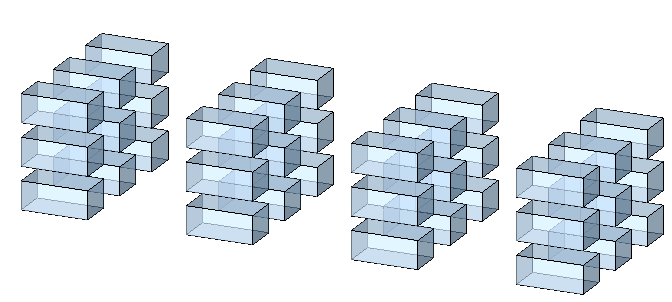
- Distance
- Specifies the distance between subsequent levels by typing a value or picking two points.
- Total
- Specifies the distance between the bottom and the top level.
- eXit
- Accepts the current settings and concludes the command.