
PROPIMPORT command
Imports data from an XLSX or CSV file into the entity properties.

Icon: 
Description
Opens the Import Properties dialog box to select an XLSX or CSV file from which to import data to the current file. You can import BIM properties (such as IFC properties, start or end points of linear solids, etc.) as well as other properties (for example, the insertion point of block references).
Method
Click the Select file button to open the Select file dialog box. Select an XLSX or CSV file.
The information is loaded from the file into the Import Properties dialog box.
If needed, adjust the settings in the Import Properties dialog box, then click Apply.
Known limitation
You must close the XLSX file before running the PROPIMPORT command. This only applies when the XLSX file is stored in a Microsoft OneDrive folder and relates to the advanced Microsoft Excel collaboration capabilities offered by Microsoft OneDrive.
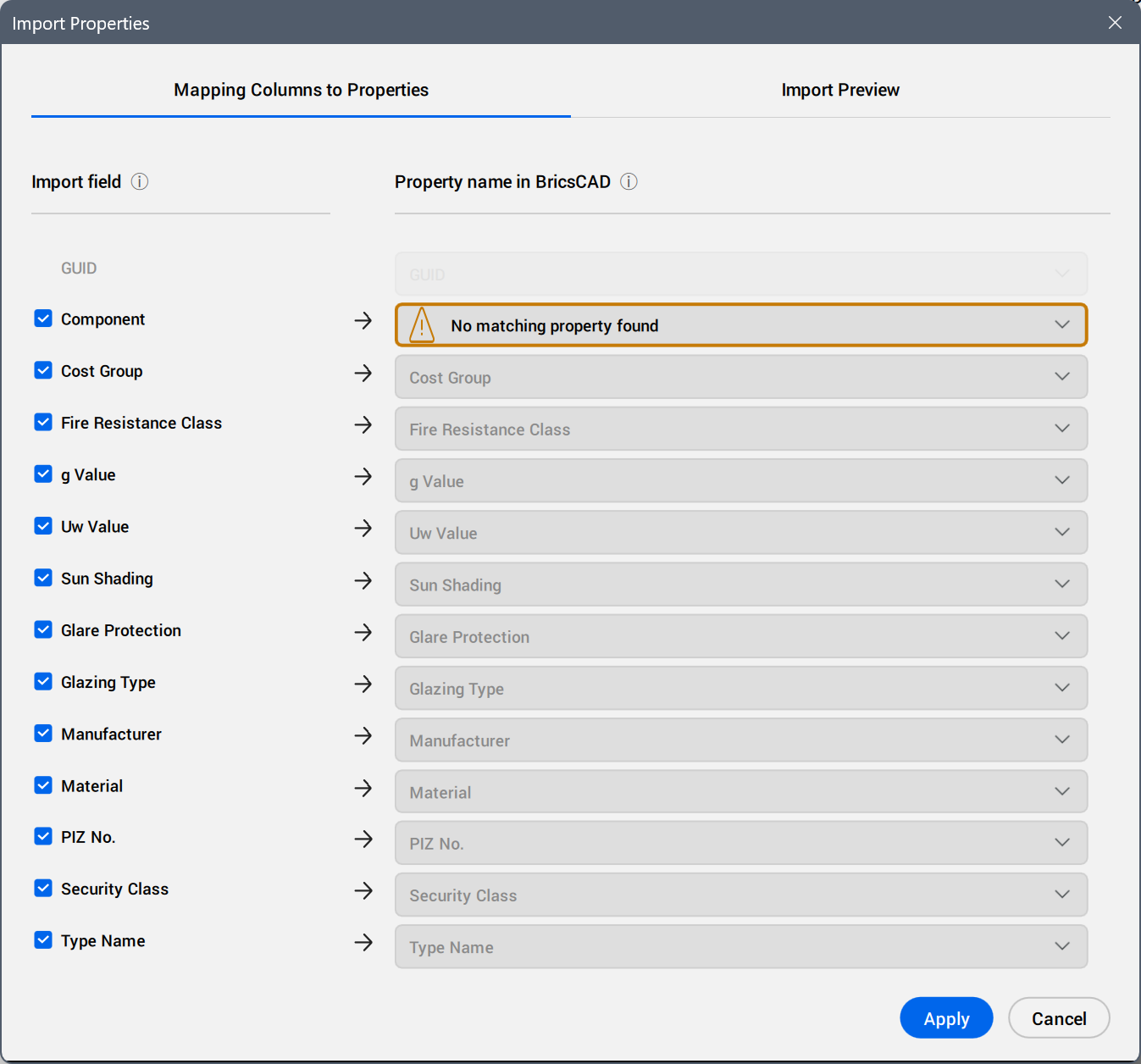
- Mapping Columns to Properties
-
- Import Field
- Selects the field data to import. Clear or select the checkboxes.
- Property name in BricsCAD
- Displays the properties automatically mapped by BricsCAD.
Click the field to select another property from the property tree. Use the search field to filter the displayed properties by the typed string.
A blue dot displays next to the manually mapped property.
- Import Preview
- Displays a preview of the table of imported values.Note: The values that cannot be correctly converted are displayed with a different color.
Click the column headers to sort the table rows by the values in the columns, ascending or descending.
- Show original values
- Shows either the converted or the original values for all cells (for example, 0/1 being converted to boolean Off/On values).