
Log in
English

BricsCAD Help Center

Product documentation
Knowledge base
Forum
Learning
Contact support
  1. Home/
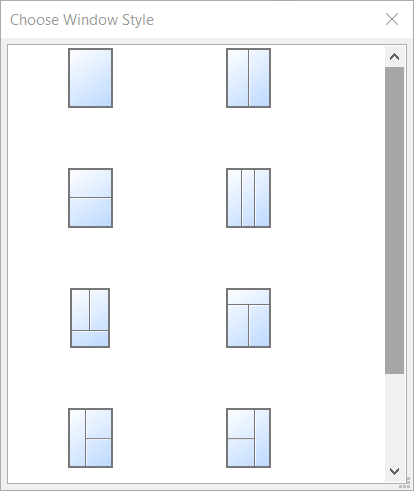
Choose Window Style dialog box

Choose Window Style dialog box

The Choose Window Style dialog box allows you to specify the style of a window.

A series of parameters is created, which can be edited in the Parameters section of the Properties panel. Rectangular windows and openings have a W (Width) and H (Height) parameter.
Parent topic: Dialog boxes
Related commands
  • BIMWINDOWCREATE command
  • BIMINSERT command
  • BIMCURTAINWALL command
  • BIMGRID command
  • BIMWINDOWUPDATE command
  • PANELIZE command
Related information
  • Properties panel
©2026 Intergraph Corporation and/or its affiliates. All rights reserved.Privacy statement -Terms of use -Cookie statement