
Welding Settings dialog box
Opens via: Weld Symbol dialog box > Settings... button
The Welding Settings dialog box allows you define the leader and text properties for weld symbol.
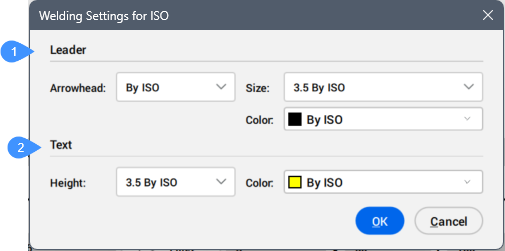
- Leader
- Text
Leader
Allows you to set the leader properties of the weld symbol.
- Arrowhead
- Allows you to set an arrowhead type from the drop-down list.
- Size
- Allows you to set a size from the drop-down list.
- Color
- Allows you to set a color from the drop-down list.
Text
Allows you to set the text properties of the weld symbol.
- Height
- Allows you to set the height from the drop-down list.
- Color
- Allows you to set the color from the drop-down list.