
Property Lookup Table dialog box
Opens via:
- BACTION command
- BACTIONTOOL command > Lookup option
- BLOOKUPTABLE command
Zrzeczenie się

Tworzenie i edytowanie dynamicznych definicji bloków w BEDYCJA w trybie eksperymentalnym jest funkcją eksperymentalną, która może nie być jeszcze stabilna i może zostać usunięta w przyszłości.
Użyj polecenia MANAGEEXPERIMENTALFEATURES (lub zmiennej systemowej EXPERIMENTALMODE), aby włączyć lub wyłączyć funkcje eksperymentalne, a następnie uruchom ponownie stronę BricsCAD.
Tryb eksperymentalny jest domyślnie wyłączony.
Important: W przypadku zakupu witryny BricsCAD w Stanach Zjednoczonych lub do użytku w Stanach Zjednoczonych, funkcja ta nie jest dostępna ani licencjonowana dla użytkownika. Więcej informacji można znaleźć w EULA.
The Property Lookup Table dialog box edits the properties of the selected lookup action.
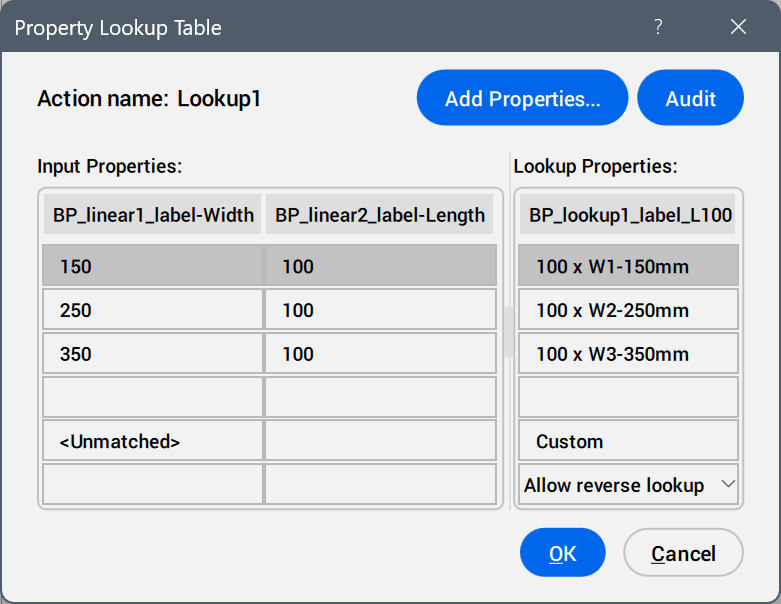
- Add Properties ...
- Opens the Add Parameter Properties dialog box to display the available parameters.
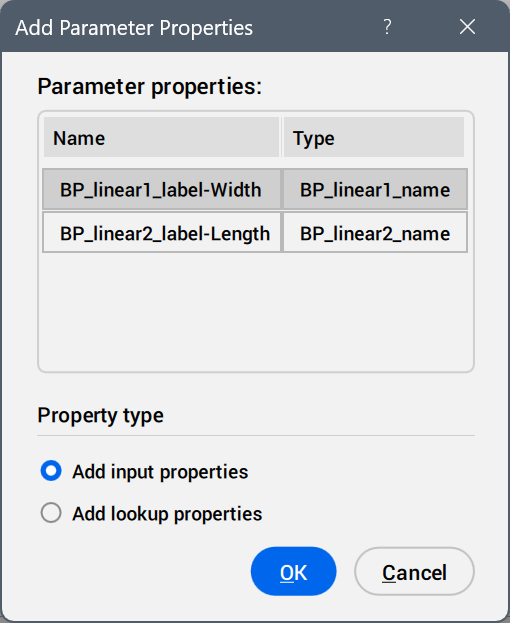
Select the parameters to be added as property columns.
- Audit
- Searches for errors in the Property Lookup Table.
- Input Properties
- Edits the values of the added parameters.
- Lookup Properties
- Adds names to the lookup table options.
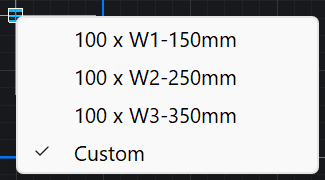
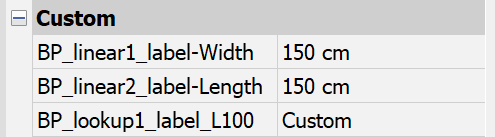
- Custom
- Displays as a lookup table option when a value is inserted manually in the Properties panel for a parameter used in the lookup table.
- Reverse lookup drop-down list
-
- Read only
- Deactivates the reverse lookup.
- Right-click a column header to display the context menu options.
-
- Sort
- Sorts the rows in the table based on the values in the selected column, ascending or descending.
- Delete property column
- Deletes the selected parameter column.
- Clear contents
- Removes the cell contents of the selected column.
- Right-click a cell to display the context menu options.
-
- Insert row
- Inserts a row above the selected one.
- Delete row
- Deletes the selected row.
- Clear contents
- Removes the content of the selected row.
- Move up
- Moves the row up a position.
- Move down
- Moves the row down a position.