
Create or Edit Block Definition dialog box
Opens via: BEDIT command
Disclaimer
Important: In the event that you purchase BricsCAD in the U.S. or for use in the U.S., the feature to create or edit dynamic block definitions is neither available nor licensed to you. Please see EULA for more information.
The Create or Edit Block Definition dialog box allows you to select an existing block definition to edit, or to enter a new name to create a new block definition.
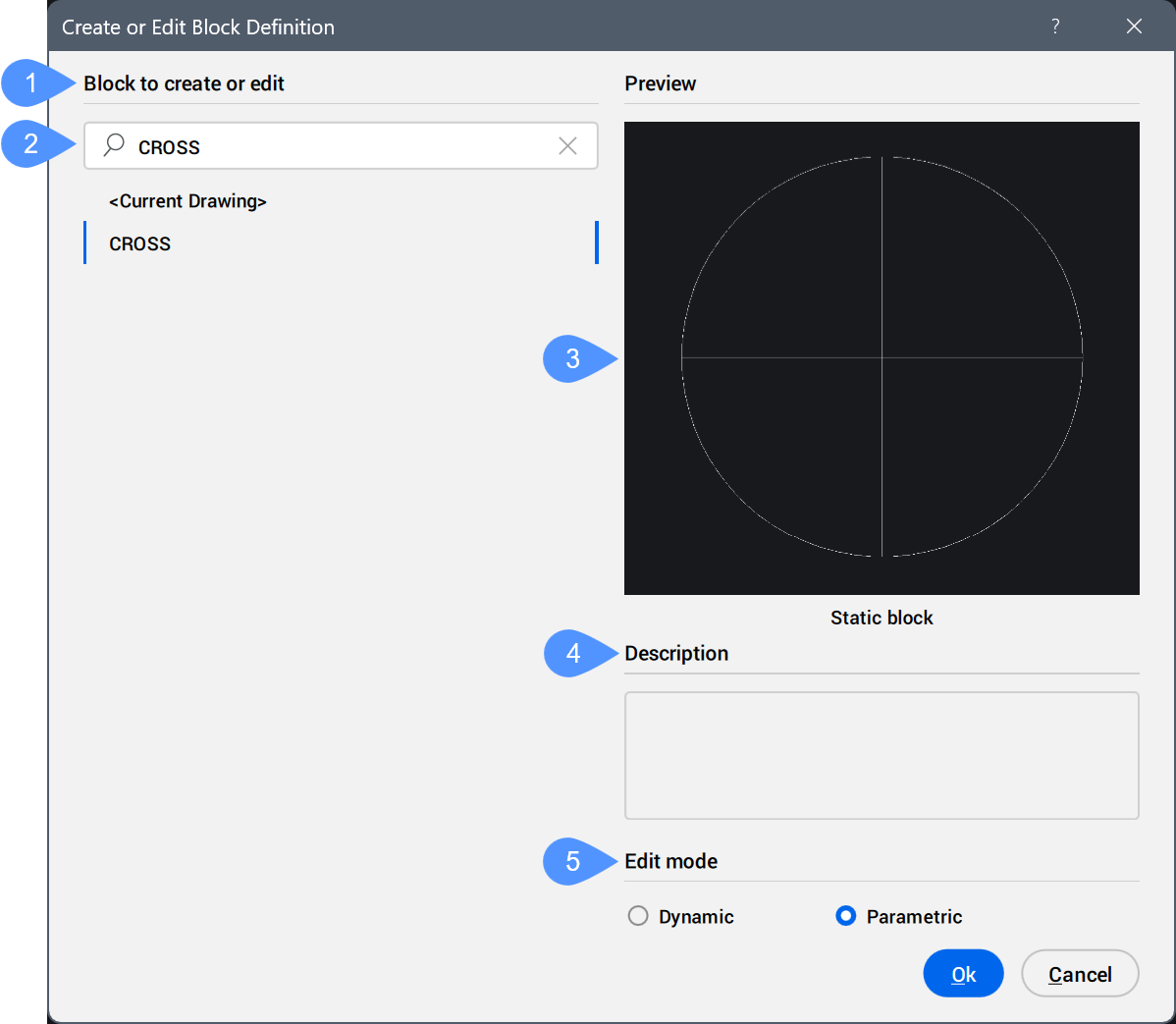
- Block to create or edit
- Search
- Preview
- Description
- Edit mode
Block to create or edit
Displays a list with the names of blocks available in the drawing.
Search
Filters the list of blocks by the string entered in the field.
Preview
Provides a preview of the block selected in the list.
The block type is displayed under the preview image (Static block, Parametric block, or Dynamic block).
Description
Displays the description of the selected block.
Click Ok, to open the Block Editor.
Note: Use the BESETTINGS command to access the Block Editor settings section of the Settings dialog box.
Edit mode
Specifies the possible edit modes for the selected block.
You can edit:
- Static blocks in both Dynamic and Parametric mode.
- Dynamic blocks only in the Dynamic mode.
- Parametric blocks only in the Parametric mode.