
Stil auswählen Dialog
Wird geöffnet über:
- CIVILPOINT command > Create Civil Points dialog box > Symbol Style or Label Style option > click the Select style... button (
 )
) - SECTIONLINES command > Create Section Lines dialog box > Labels Style option >click the Select or edit style... button ()
- SECTIONVIEWS command > Create Section View dialog box > Style option > click the Select or edit style... button ()
- ADDSURFACELABELS, ADDAREALABELS, ADDLINECURVELABELS or ADDSECTIONVIEWLABELS command > Add Labels dialog box > Styles section > click the Select style... button ()
- CALCULATESECTIONVOLUMES command > Calculate Section Volumes dialog box > Material style option > click the Edit material styles button ()
- ALIGNMENTVIEW command > Create Vertical Alignment View dialog box > Style option > click the Select or edit style... button ()
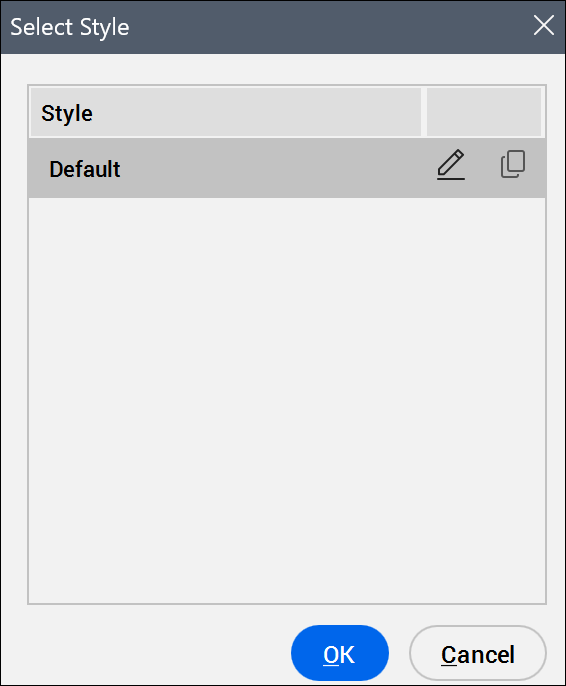
Stilliste
Zeigt die verfügbaren Stile an.
Stil bearbeiten...
Opens the Symbol Style, Label Style Editor, Section View Style, Shape Style or Vertical Alignment View Style dialog box to edit selected symbol, label, section view, vertical alignment view or shape styles.
Stil kopieren...
Opens the Symbol Style, Label Style Editor, Section View Style, Shape Style or Vertical Alignment View Style dialog box to create a copy of the selected symbol, label, or section view style.
Anmerkung: Die Symbol- und Beschriftungsstile werden auf der Registerkarte Einstellungen des Panels Civil Explorer definiert.