VIEWPROJ command
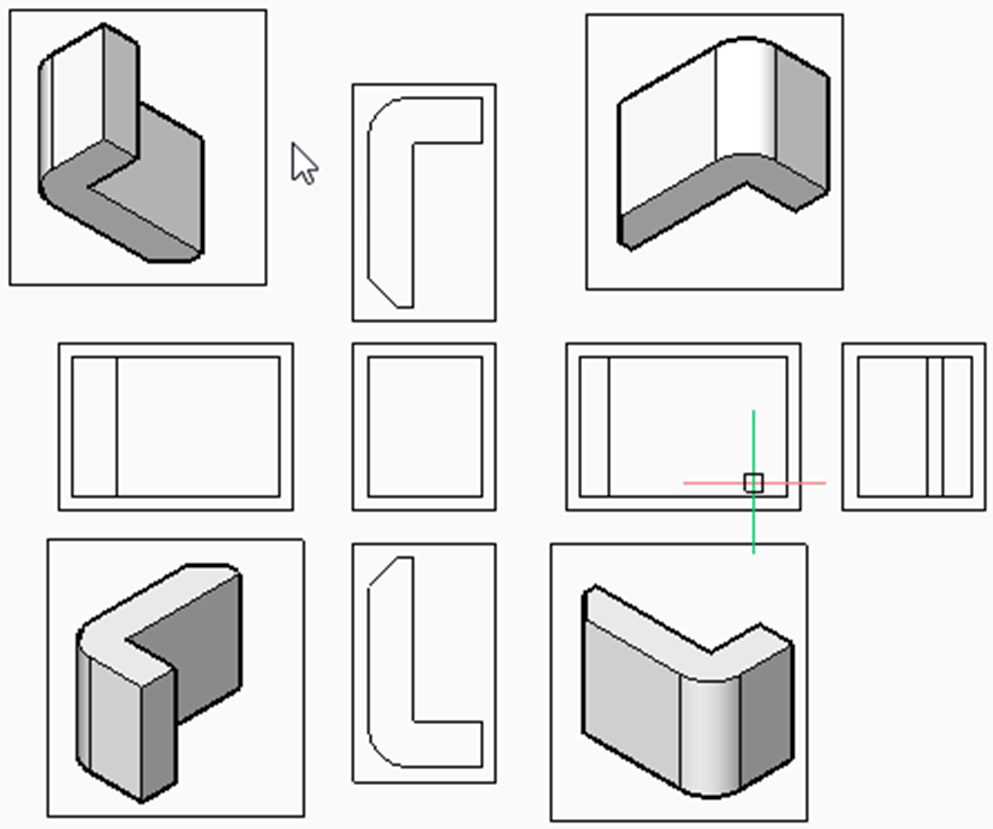
Generates additional, projected views, from a view created with the VIEWBASE command.

Icon: 
Note:
- This command operates only in Paper Space.
- When the DRAWINGVIEWGEN system variable is On, user interaction during the generation of drawing views is allowed.
- When the DRAWINGVIEWBGENPAR system variable is On, the parallel generation of drawing views is allowed. This can reduce view processing time, but uses more resources.
Method
Select the view from which to generate new projected views and select the position of the new projected views.
Depending on where you move the cursor, you can place up to five orthogonal and four isometric views. The views are aligned automatically. Press the Ctrl key to turn the alignment on and off to place the view anywhere on the sheet.
Options within the command
- Isometric geometry
- Sets the style for isometric views.
- 2D views
- Draws isometric views as 2D projections of the 3D geometry and turns on the BM_Hidden layer so that hidden lines are shown as dashed lines.
- 3D views
- Draws isometric views as 3D geometry and sets the visual style of the viewport.
-