
TABLAVOLUMENMATERIAL comando
Genera una tabla de volúmenes de materiales.

Ícono: 
Descripción
Abre el cuadro de diálogo Crear Tabla de Volúmenes de Materiales para generar una tabla de volúmenes de materiales para un Grupo de líneas de sección y una Lista de materiales existentes. Esta tabla se puede insertar en el dibujo y guardar como un archivo CSV.
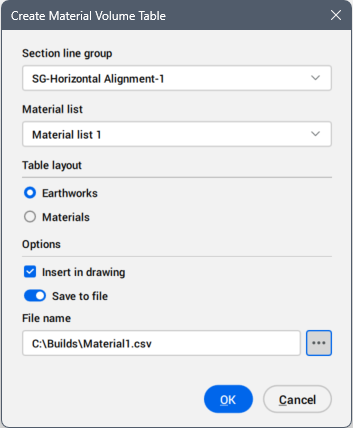
- Section line group
- Selects the section line group that define the section volume.
- Material list
- Selects the material list name.
- Table layout
- Defines the table layout.
- Options
- Defines how the table is used.
-
- Save to file
- When turned on, saves the table as a CSV file.
-
- File name
- Displays the file name. Click the Browse button (
 ) to open the Select CSV file dialog box, then choose the path and a file name for the CSV file.