
Property Lookup Table dialog box
Opens via:
- BACTION command
- BACTIONTOOL command > Lookup option
- BLOOKUPTABLE command
Aviso de exención de responsabilidad

La creación y edición de definiciones de bloques dinámicas en EDITARBLOQUE en Modo experimental es una característica experimental que puede que aún no sea estable y podría eliminarse en el futuro.
Utilice el comando MANAGEEXPERIMENTALFEATURES (o la variable del sistema EXPERIMENTALMODE) para activar o desactivar las funciones experimentales, luego reinicie BricsCAD.
El Modo experimental está desactivado de forma predeterminada.
Important: En caso de que adquiera BricsCAD en Estados Unidos o para su uso en Estados Unidos, esta función no estará disponible ni se le concederá la licencia correspondiente. Consulte el EULA para obtener más información.
The Property Lookup Table dialog box edits the properties of the selected lookup action.
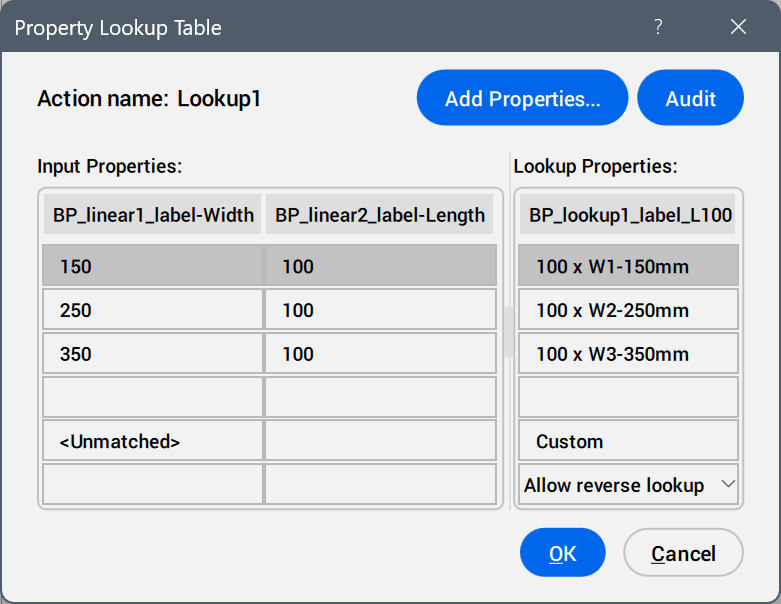
- Add Properties ...
- Opens the Add Parameter Properties dialog box to display the available parameters.
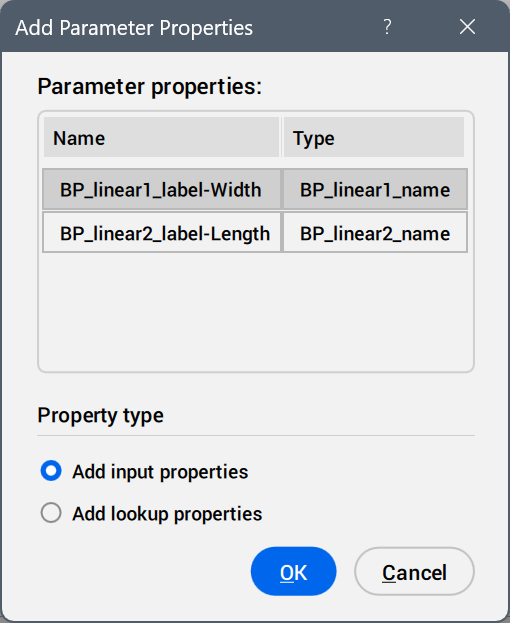
Select the parameters to be added as property columns.
- Audit
- Searches for errors in the Property Lookup Table.
- Input Properties
- Edits the values of the added parameters.
- Lookup Properties
- Adds names to the lookup table options.
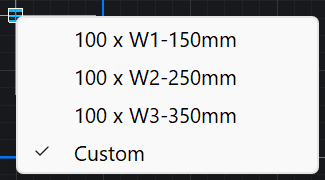
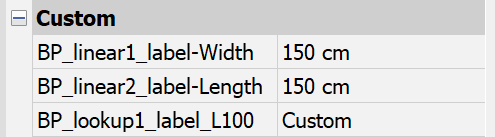
- Custom
- Displays as a lookup table option when a value is inserted manually in the Properties panel for a parameter used in the lookup table.
- Reverse lookup drop-down list
-
- Read only
- Deactivates the reverse lookup.
- Right-click a column header to display the context menu options.
-
- Sort
- Sorts the rows in the table based on the values in the selected column, ascending or descending.
- Delete property column
- Deletes the selected parameter column.
- Clear contents
- Removes the cell contents of the selected column.
- Right-click a cell to display the context menu options.
-
- Insert row
- Inserts a row above the selected one.
- Delete row
- Deletes the selected row.
- Clear contents
- Removes the content of the selected row.
- Move up
- Moves the row up a position.
- Move down
- Moves the row down a position.