
ADDAREALABELS command
Adds area labels at the centroids of closed polylines, 3D polylines, MPolygons, or strings.

Icon: 
Method
The command opens the Add Labels dialog box with the Area label selected.
This dialog box is modeless, so you can continue working in the drawing while it is open.
Select the Label style.
Click the Add button or press Enter. The dialog box closes.
Select the entities to add labels to.
Press Enter to add labels to the selected entities or Esc to discard the selection. The dialog box displays.
Click the Close button or press Esc to end the command.
Note: When an added label is pinned inside the entity, it has one grip. When the label is dragged outside the entity, it has two grips.
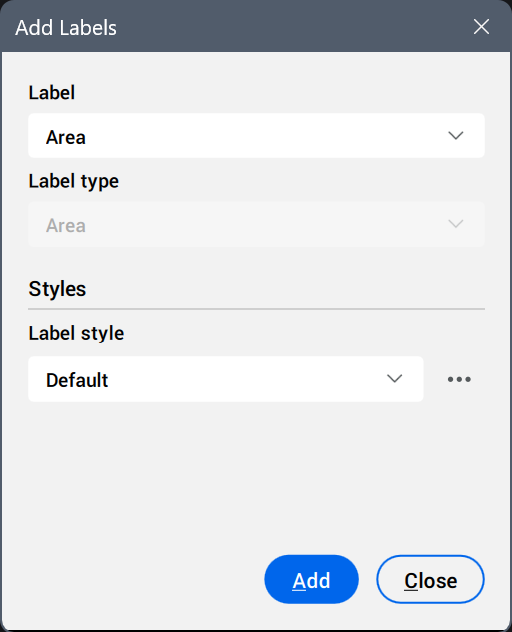
- Label
- Displays the preselected label, according to the command used.
- Label type
- The Area label type is automatically used.
- Styles
- Sets the label style and/or symbol style.
Click the Select style... button (
 ) to display the available styles in the Select Style dialog box.Tip: To edit styles or create new ones, click the Edit style... or Copy style... button next to a style in the Select Style dialog box. This opens the Label Style Editor dialog box.