
ADDLINECURVELABELS command
Adds labels along curves or lines.

Icon: 
Description
Creates labels for lines, polylines, 3D polylines or Civil string entities.
Method
The command opens the Add Labels dialog box with the Line and Curve label selected.
This dialog box is modeless, so you can continue working in the drawing while it is open.
Select the Label type, the Line label style and Curve label style.
Click the Add button or press Enter. The dialog box closes.
Select the entities to add labels to.
Press Enter to add labels to the selected entities or Esc to discard the selection. The dialog box displays.
Click the Close button or press Esc to end the command.
The added labels have two grips. One moves the label along the segment, and the other drags it away from the segment.
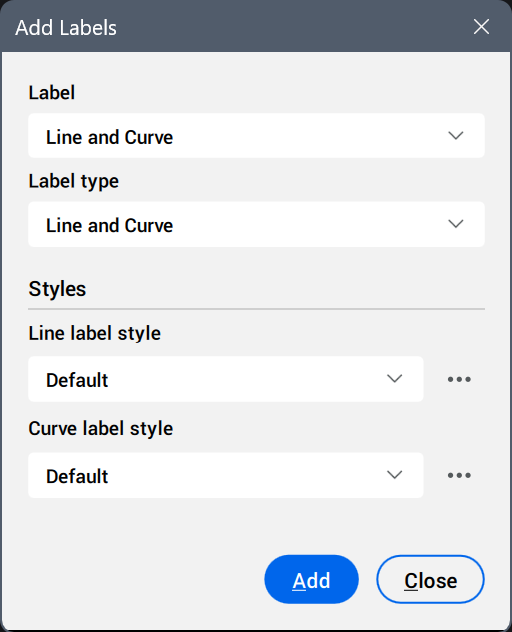
- Label
- Displays the preselected label, according to the command used.
- Label type
-
- Line and Curve
- Adds the line labels between the start and end point of the line.
- Between two points
- Adds the line labels between two specified points.
- Styles
- Sets the label style and/or symbol style.
Click the Select style... button (
 ) to display the available styles in the Select Style dialog box.Tip: To edit styles or create new ones, click the Edit style... or Copy style... button next to a style in the Select Style dialog box. This opens the Label Style Editor dialog box.