
ADDSURFACELABELS command
Adds spot elevation labels, slope labels or contour labels on a surface.

Icon: 
Method
The command opens the Add Labels dialog box with the Surface label selected.
This dialog box is modeless, so you can continue working in the drawing while it is open.
Select the Label type, the Symbol style and Label style.
Click the Add button or press Enter. The dialog box closes.
Select the TIN surface to add labels to. Click points on the surface to add labels.
Press Enter or Esc to display the dialog box.
Click the Close button or press Esc to end the command.
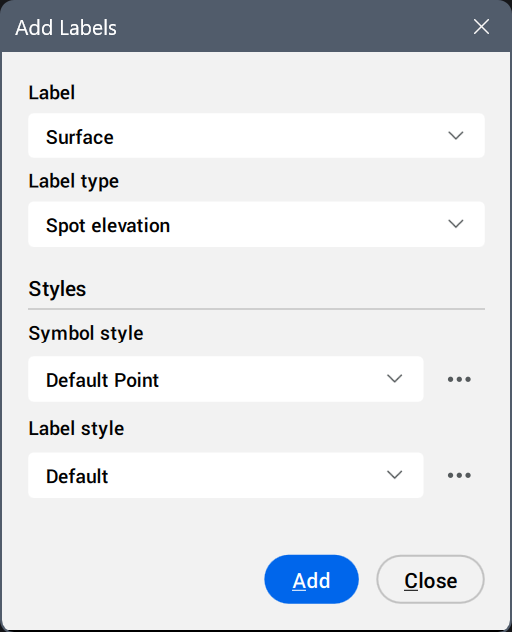
- Label
- Displays the preselected label, according to the command used.
- Label type
- Sets the label type.
- Contour
- Creates major and minor contour labels using the selected label styles.
- Spot elevation
- Creates spot elevation labels using the selected label and symbol style.
- Grid
- Places spots elevation on a grid with a specified origin, X and Y spacing, rotation and extents.
- Slope
- Creates slope labels using the selected label style.
- Single point
- Creates a slope label by indicating a point on a surface.
- Two points
- Creates a slope label by indicating two points.
- Styles
- Sets the label style and/or symbol style.
Click the Select style... button (
 ) to display the available styles in the Select Style dialog box.Tip: To edit styles or create new ones, click the Edit style... or Copy style... button next to a style in the Select Style dialog box. This opens the Label Style Editor dialog box.