
BLOOKUPTABLE command
Opens a lookup parameter dialog box.

Icon: 
Disclaimer

Creating and editing dynamic block definitions under BEDIT in Experimental mode is an experimental feature that may not yet be stable, and could be removed in the future.
Use the MANAGEEXPERIMENTALFEATURES command (or the EXPERIMENTALMODE system variable) to turn on or off experimental features, then restart BricsCAD.
The Experimental mode is turned off by default.
Description
Displays or creates a lookup table for a lookup action in a dynamic block definition.
Method
In the Block editor, double click a lookup action entity or launch the command and select a lookup action. The Property Lookup Table dialog box opens.
The Property Lookup Table dialog box edits the properties of the selected lookup action.
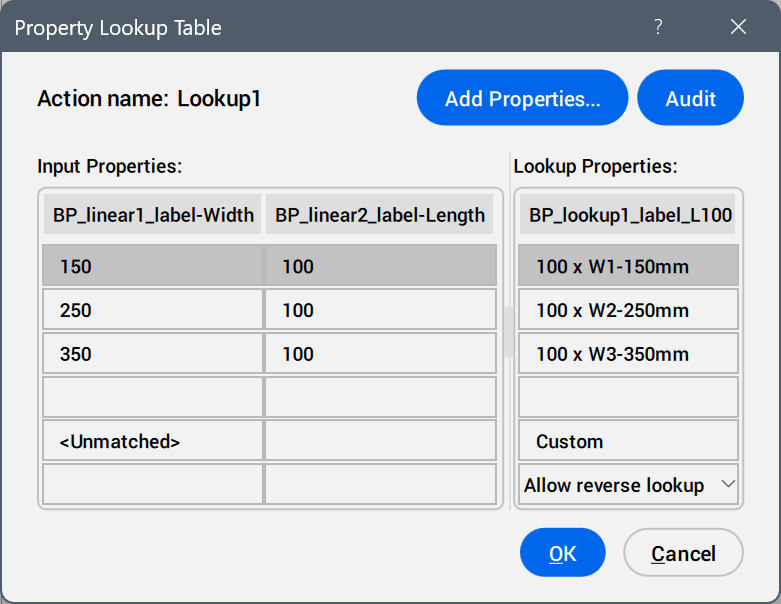
- Add Properties ...
- Opens the Add Parameter Properties dialog box to display the available parameters.
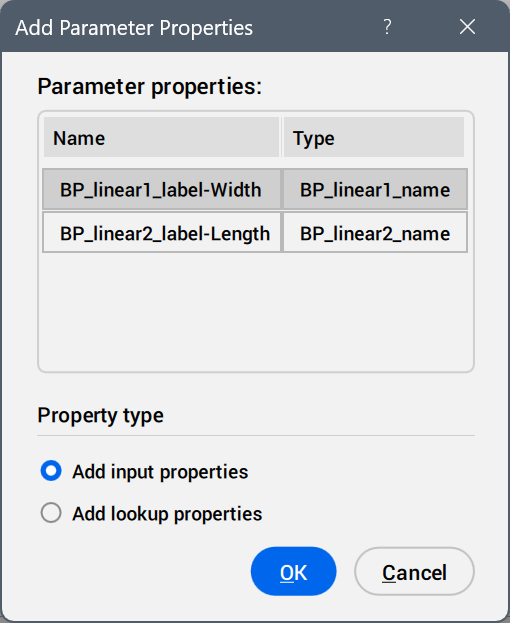
Select the parameters to be added as property columns.
- Audit
- Searches for errors in the Property Lookup Table.
- Input Properties
- Edits the values of the added parameters.
- Lookup Properties
- Adds names to the lookup table options.
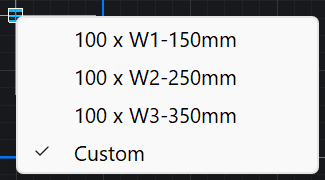
- Custom
- Displays as a lookup table option when a value is inserted manually in the Properties panel for a parameter used in the lookup table.
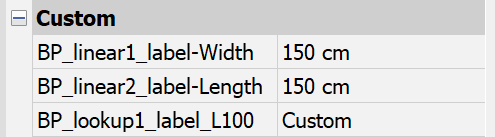
- Reverse lookup drop-down list
-
- Read only
- Deactivates the reverse lookup.
- Right-click a column header to display the context menu options.
-
- Sort
- Sorts the rows in the table based on the values in the selected column, ascending or descending.
- Delete property column
- Deletes the selected parameter column.
- Clear contents
- Removes the cell contents of the selected column.
- Right-click a cell to display the context menu options.
-
- Insert row
- Inserts a row above the selected one.
- Delete row
- Deletes the selected row.
- Clear contents
- Removes the content of the selected row.
- Move up
- Moves the row up a position.
- Move down
- Moves the row down a position.