
BLOOKUPTABLE comando
Abre uma caixa de diálogo de Pesquisa de Parâmetros.

Icone: 
Aviso de responsabilidade

Criar e editar Bloco Dinâmico sob EDITARBLOCO em Modo experimental é um recurso experimental que pode não ser estável, ainda e pode ser removido no futuro.
Use o comando GERENCIARECURSOSEXPERIMENTAIS (ou a variável de sistema EXPERIMENTALMODE) para Ativar ou Desativar recursos experimentais, então reinicie BricsCAD.
O Modo experimental está Desativado por predefinição.
Descrição
Exibe ou cria uma Tabela de pesquisa para uma ação de Pesquisa em uma definição de Bloco Dinâmico.
Método
No Editor de Bloco, clique duas vezes em uma entidade de ação de pesquisa, ou execute o comando e selecione uma ação de pesquisa. A caixa de diálogo Tabela Pesquisa de Propriedades é aberta.
A caixa de diálogo Tabela Pesquisa de Propriedades permite editar as propriedades da ação de pesquisa selecionada.
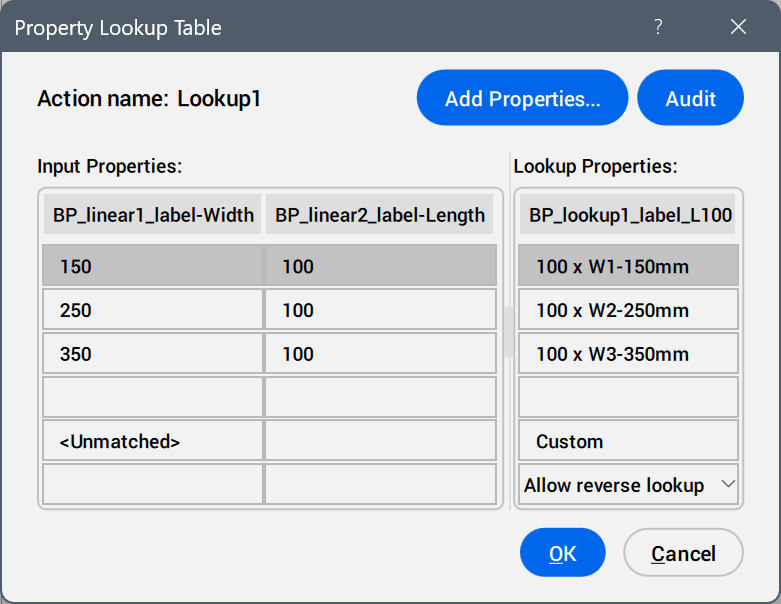
- Adic. Propriedades...
- Abre a caixa de diálogo Adic. Propriedade a Parâmetro para exibir parâmetros disponíveis.
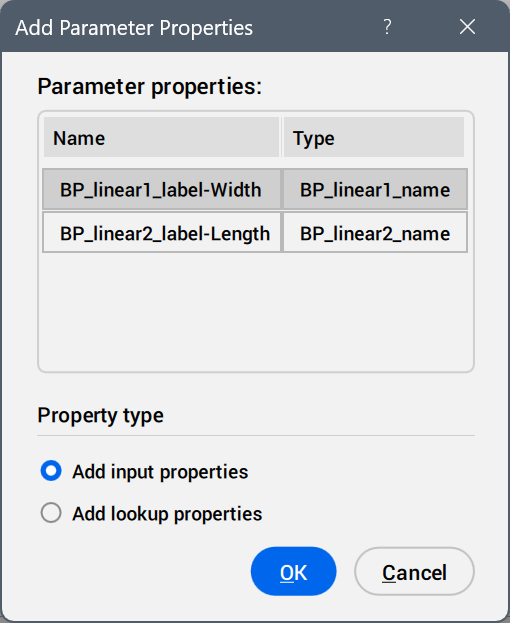
Selecione os parâmetros a ser adicionados como colunas de propriedades.
- Inspecionar
- Busca por erros na Tabela Pesquisa de Propriedades.
- Entrar Propriedades
- Edita os valores dos parâmetros adicionados.
- Pesquisar Propriedades
- Adiciona nomes às opções da tabela de pesquisa.
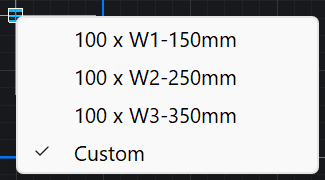
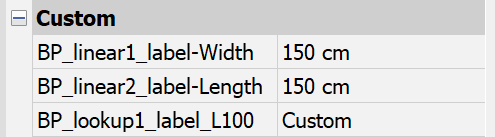
- perSonalizada
- Exibe como uma opção da tabela de pesquisa quando um valor é inserido manualmente no painel Propriedades para um parâmetro usado na tabela de pesquisa.
- Inverter lista suspensa de pesquisa
-
- Somente-leitura
- Desativa a pesquisa reversa.
- Clique o botão-direito no cabeçalho da coluna para exibir opções do menu de contexto.
-
- Ordenar
- Ordena as linhas da tabela com base nos valores da coluna selecionada, ascendente descendente.
- Excluir coluna de propriedade
- Exclui a coluna de parâmetros selecionada.
- Limpar conteúdo
- Remove o conteúdo da célula da coluna selecionada.
- Clique o botão-direito em uma célula para exibir opções do menu de contexto.
-
- Inserir linha
- Insere uma linha acima da selecionada.
- Excluir linha
- Exclui a linha selecionada.
- Limpar conteúdo
- Remove o conteúdo da linha selecionada.
- Move acima
- Move a linha uma posição para cima.
- Mover abaixo
- Move a linha uma posição para baixo.